EasyManua.ls Logo

Optimus MD-30C - Connection; Power Supply; Audio and CAN Bus Connection

Optimus MD-30C
30 pages
Print Icon
To Next Page IconTo Next Page
To Previous Page IconTo Previous Page
Loading...
MD-30C version 3.2.000
8
Microphone desk
with CAN bus connection
MD-30C
5. CONNECTION
5.1. Power supply
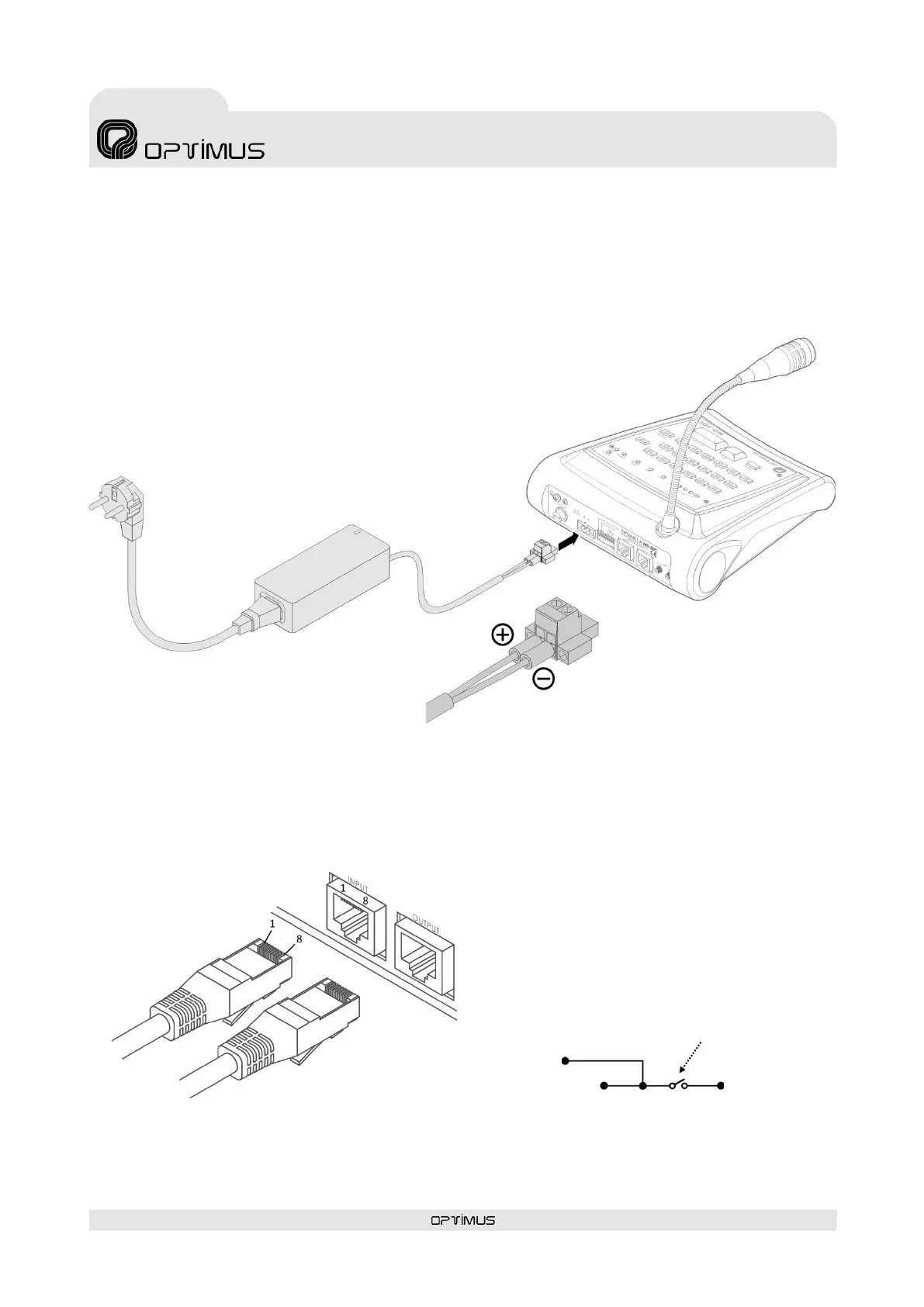
The desk should be powered at 24VDC through the DC IN 24V terminal strip on the backplate.
5.2. Audio and CAN bus connection
Through the RJ45 INPUT and OUTPUT connectors, the console transmits and receives CAN communication and audio signals to the
COMPACT system. For connection use RJ45 connectors with metal housing and STP CAT 5 cable.
Pin 1: AUDIO H (HOT)
Pin 2: AUDIO C (COLD)
Pin 3: Not used
Pin 4: CAN H
Pin 5: CAN L
Pin 6: Not used
Pin 7: Not used
Pin 8:
Metal Shield:
24V DC
POWER SUPPLY
I924UP
(Not included)
GND
DIP switch 1
Figure 3
Figure 4

Related product manuals