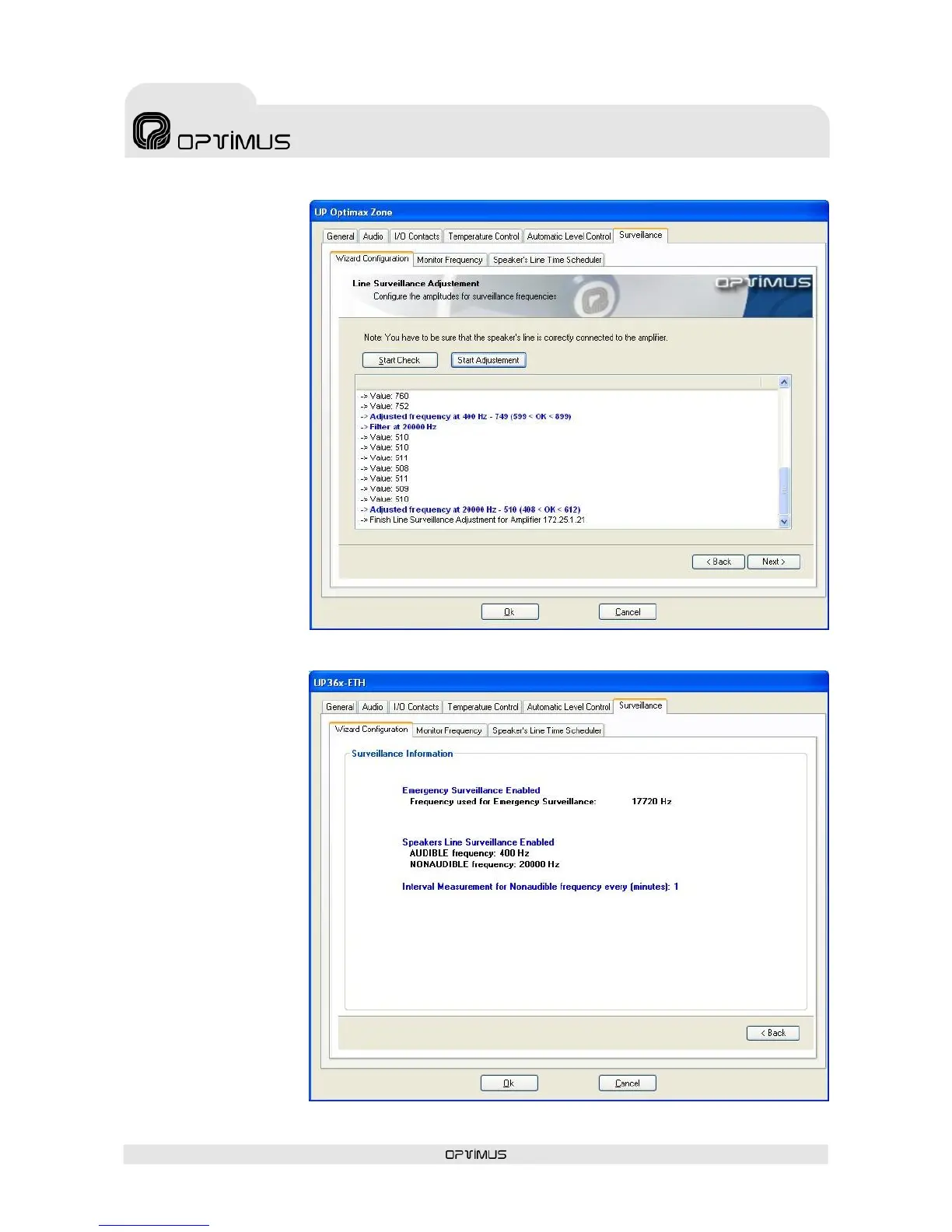
Click on the button Start
Check (15). In this way,
a check is made that
there are no short circuits
between this loudspeaker
line and the loudspeaker
lines of other amplifiers in
the installation.
If the result is not
correct, check the
loudspeaker line and once
the problem has been
resolved, check the line
once again.
If the result is correct
(OK), click on the button
Start Adjustment (16).
Setting of the unit is
commenced.
If the result is OK, click
on Next (1).
A summary of the
settings made appears on
the screen.
Surveillance is now
configured.
Select OK (17) and send
configurations to the unit,
following the instructions
in section 6.5.


 To Next Page