Delta Elec. Inc. ES520 & EX530 ver.02
Company Confidential Optoma___________________ Delta________________
65
2008/09/17
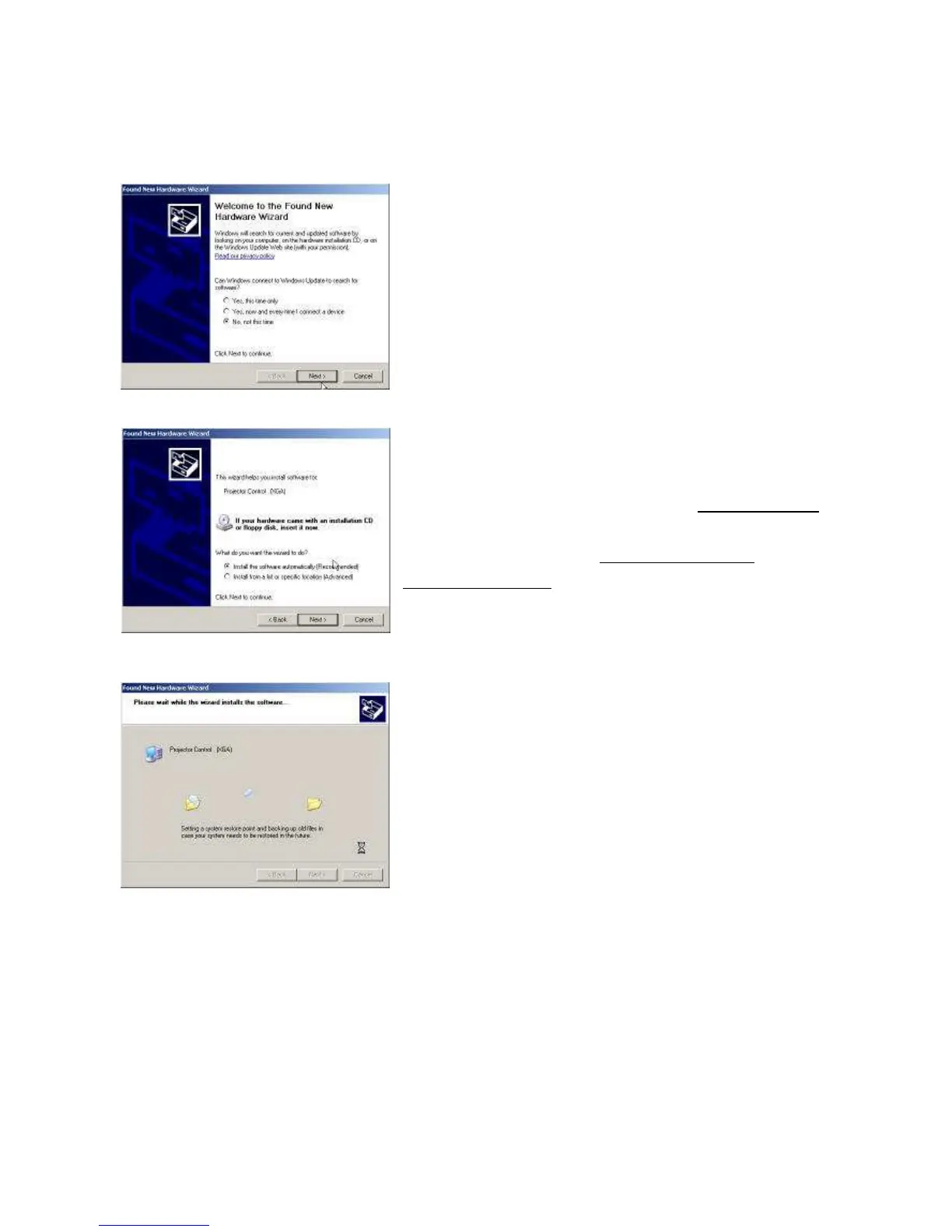
The New Hardware Wizard launches, and Windows detects a new
USB device attached.
Select “No, not this time”
Click on the “Next” button to continue
Select “Install the software automatically”
Click on the “Next” button to continue
* In case the wizard cannot find the driver (the ProjectorControl.inf),
please select the other advanced option and specify the driver
location manually. (Normally at
C:\Program Files\Digital Zoom
Projector\Projector Flash Tool
)
Windows updates the USB Projector Control driver when found


 To Next Page
 Loading...