Delta Elec. Inc. ES520 & EX530 ver.02
Company Confidential Optoma___________________ Delta________________
85
2008/09/17
6. Calibration
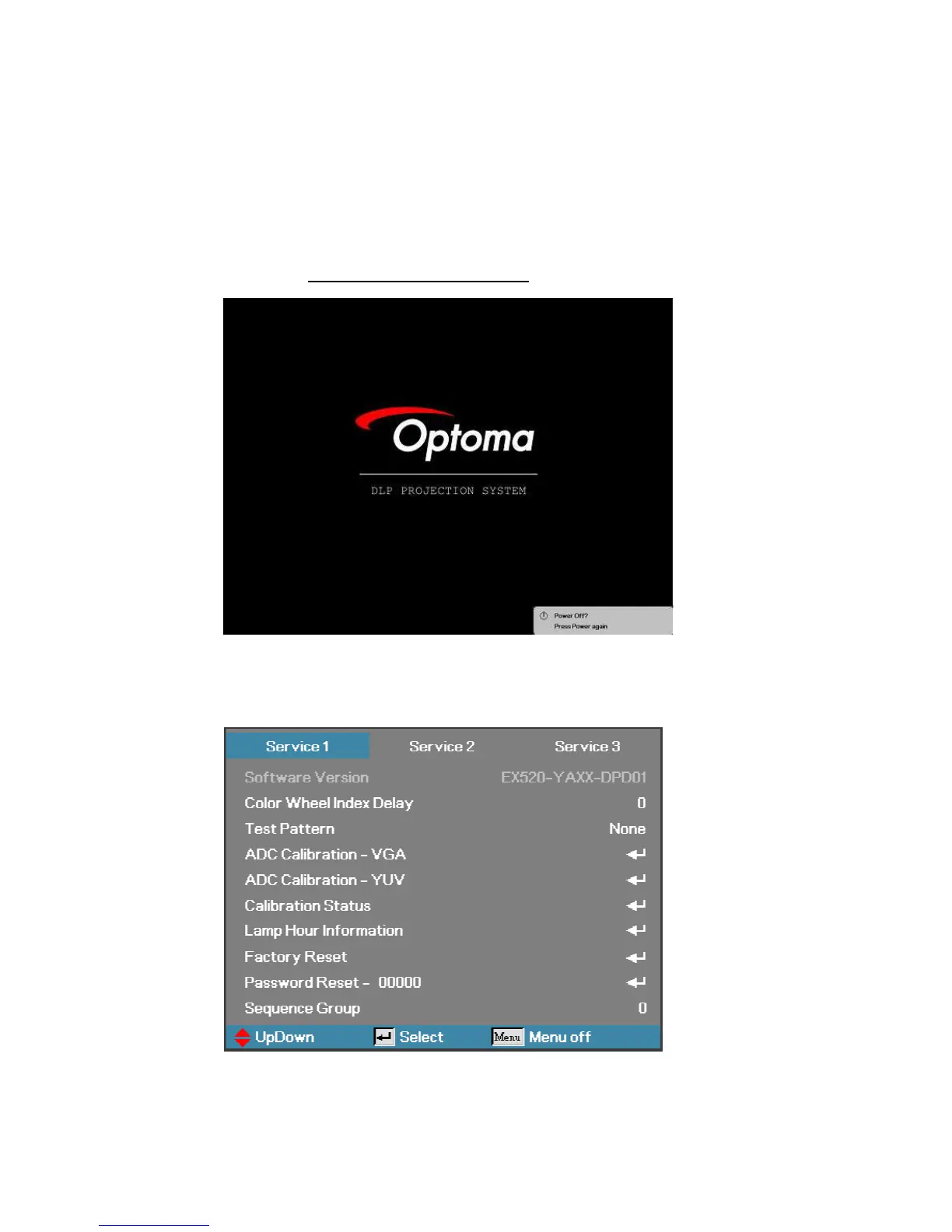
Step of into Service Mode
Step 1 : To turn on the projector, press the Power button on the keypad or IR controller,
.
Until the “Power Off? Press Power again” message appears.
Step 2
:
Then press “Left”=>“Right”=>“Down”=>“Up” button on the keypad or IR controller.
Step 3
:
If password is correct then go into Service Mode
。



 To Next Page