Delta Elec. Inc. ES520 & EX530 ver.02
Company Confidential Optoma___________________ Delta________________
71
2008/09/17
5-3.
Start with Flash-Tool
The section is to illustrate the procedure to upgrade the application software of a DLP projector.
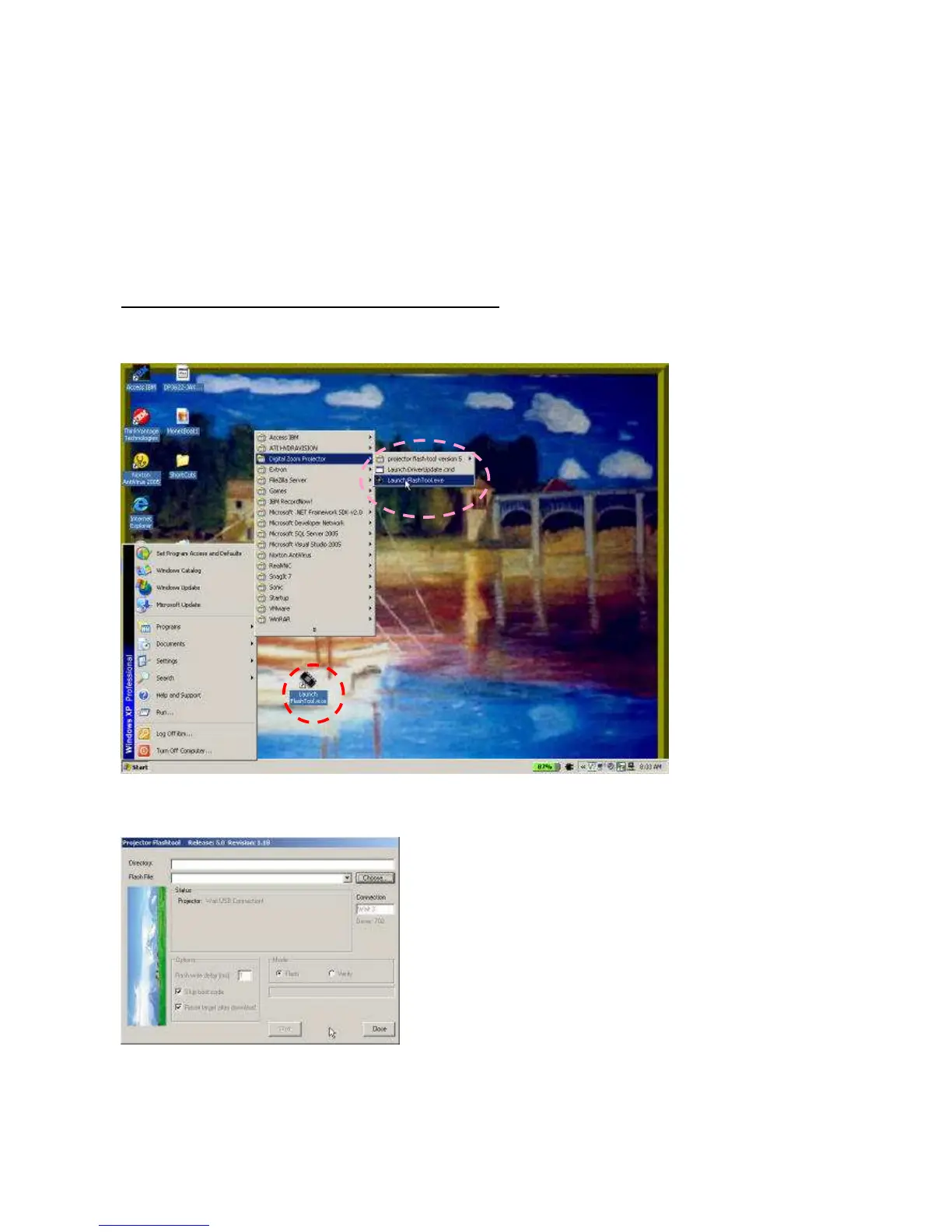
Step 1: Launch the “FlashTool.exe” from installed shortcut at
Program > Digital Zoom Projector> Launch FlasTool.exe or click on the “Launch FlashTool.exe” shortcut icon
on the desktop.
Step 1-1: While executed, a Flash-Tool window shall appear as the following picture.



 To Next Page