Delta Elec. Inc. ES520 & EX530 ver.02
Company Confidential Optoma___________________ Delta________________
73
2008/09/17
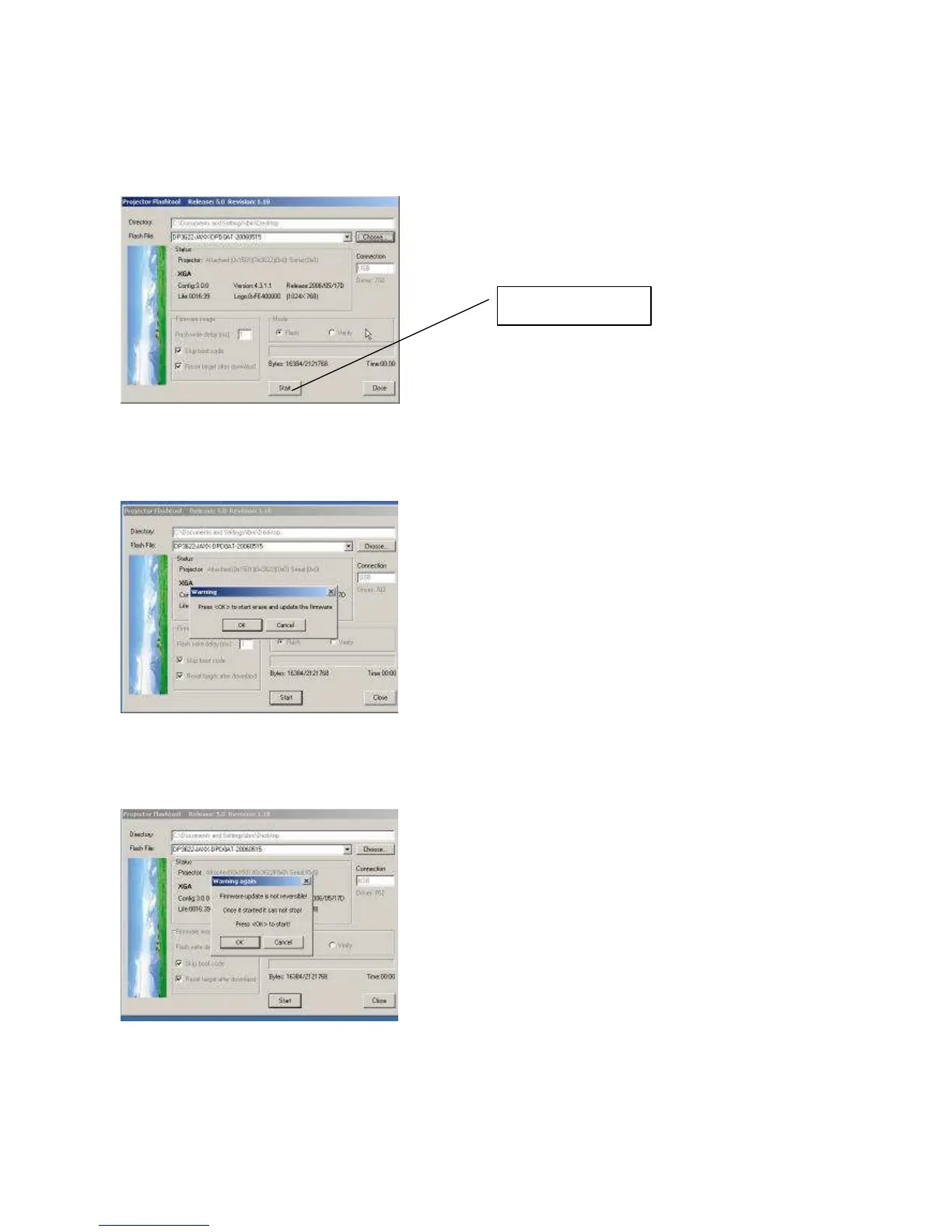
Note: The Flash-Tool will validate the signature of the binary image file for upgrading. The “Start” button will not
enable if the binary image is not a valid projector firmware.
Step 6: Press the “Start” button to update the flash with the chosen firmware. A warning message box will
appear for confirmation. Press <OK> to continue.
Step 7: When the last warning message box appears, this is the last chance to cancel the update. Press “OK”
button to start the firmware update.



 To Next Page