Delta Elec. Inc. ES520 & EX530 ver.02
Company Confidential Optoma___________________ Delta________________
87
2008/09/17
6-2. Calibrate Analog YUV
:
Equipment: VG828, must be take off H/V sync terminal from machine
.
Step 1
:
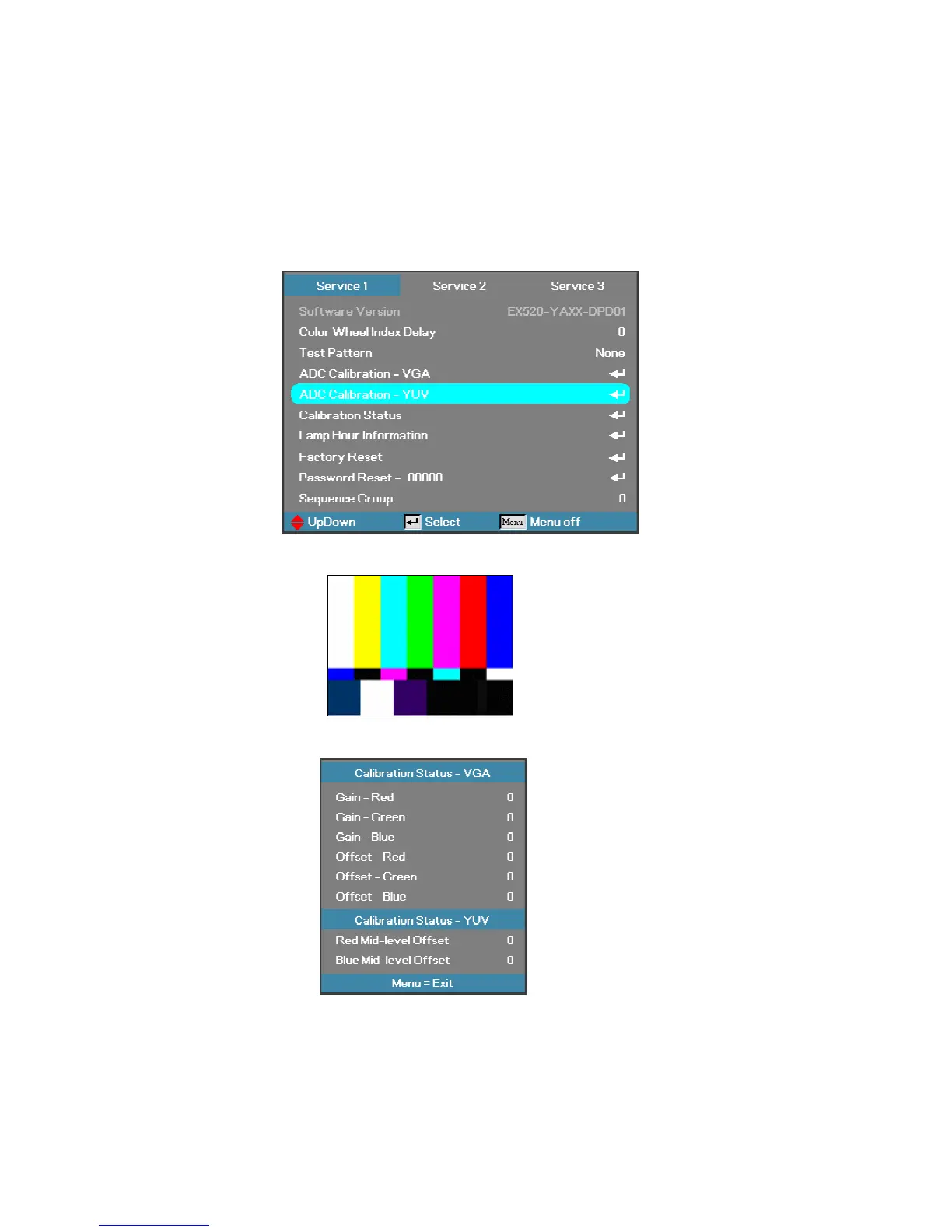
In Service 1 Mode select ADC Calibration - YUV. In this menu input pattern with 75
﹪
SMPTE
pattern for calibrate YUV Source and notice that the input source must be 480i format
。
After input ready press “Enter” key to proceed
。
Input Pattern
Step 2 : After complete the OSD will show the picture as follow, if not complete, just close the OSD
。
NOTE:
You can select Calibration Status – VGA or Calibration Status –
YUV item to watch the calibrated value at any time
。



 To Next Page