Condential
5-6
EX556/ES556/EW556/ES555/EX555
5-2-3 Upgrade Procedure
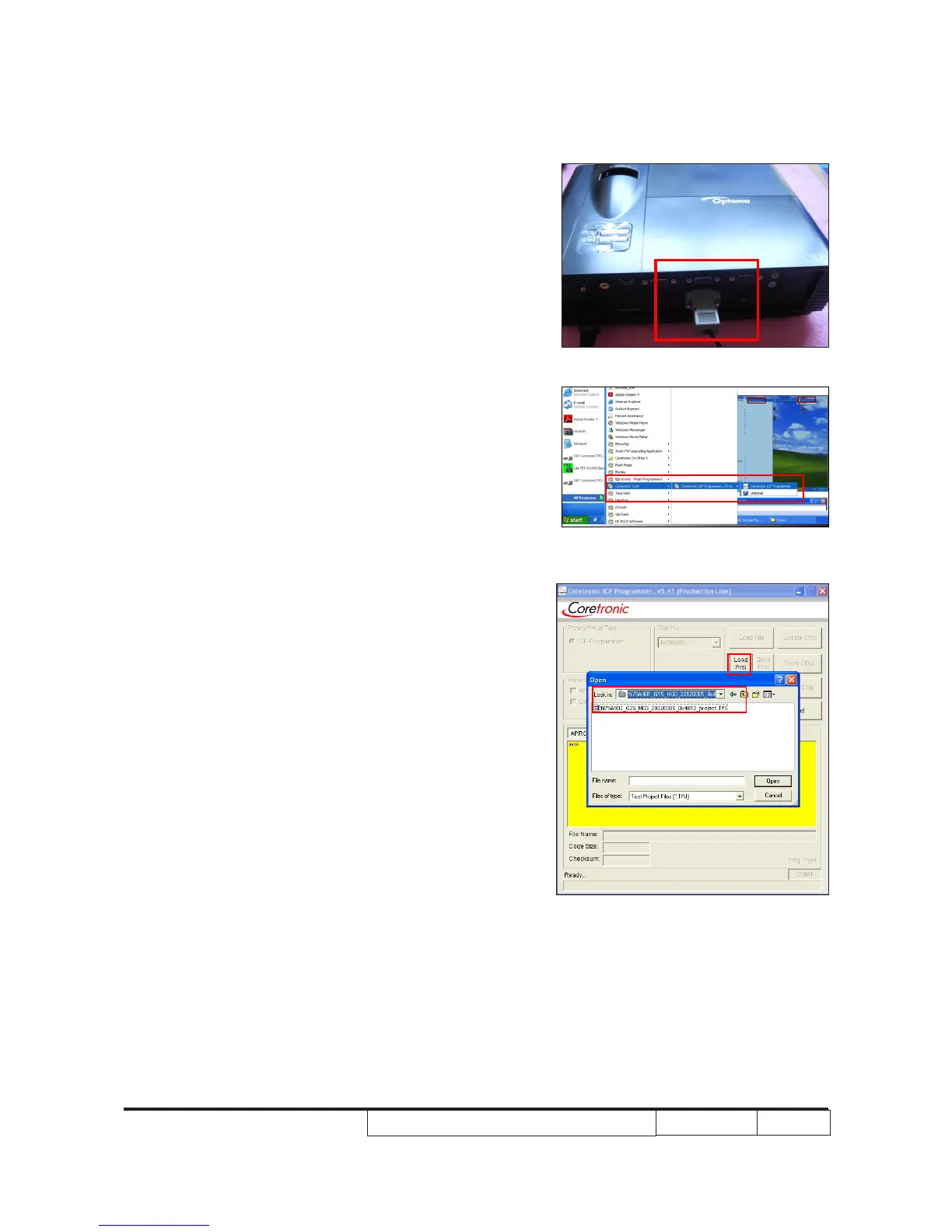
1. - Plug in the power cord, the power LED
will light on red.
- Connect VGA 2-IN Port of projector and
PC by ICP Fixture.
Note:If the projector has one VGA-IN
port,please connect VGA-IN Port of
projector and PC by ICP Fixture.
2. Select "Start" -->"Coretronic Tools"
-->"Coretronic ICP Programmer V5.41" to
run "Coretronic ICP Programmer.exe”.
3. Click “Load Proj” to open the “TPJ” le
which you will upgrade 8051 rmware le.



 To Next Page