Appendix B - Replacing the battery
Battery pack is specially designed and manufactured for this device. Optomed and Optomed retailers provide suitable battery
packs. Labels in the battery display following information:
Optomed
50600001 4xAAA
4.8V/1000 mAh
Rechargeable Ni-MH battery
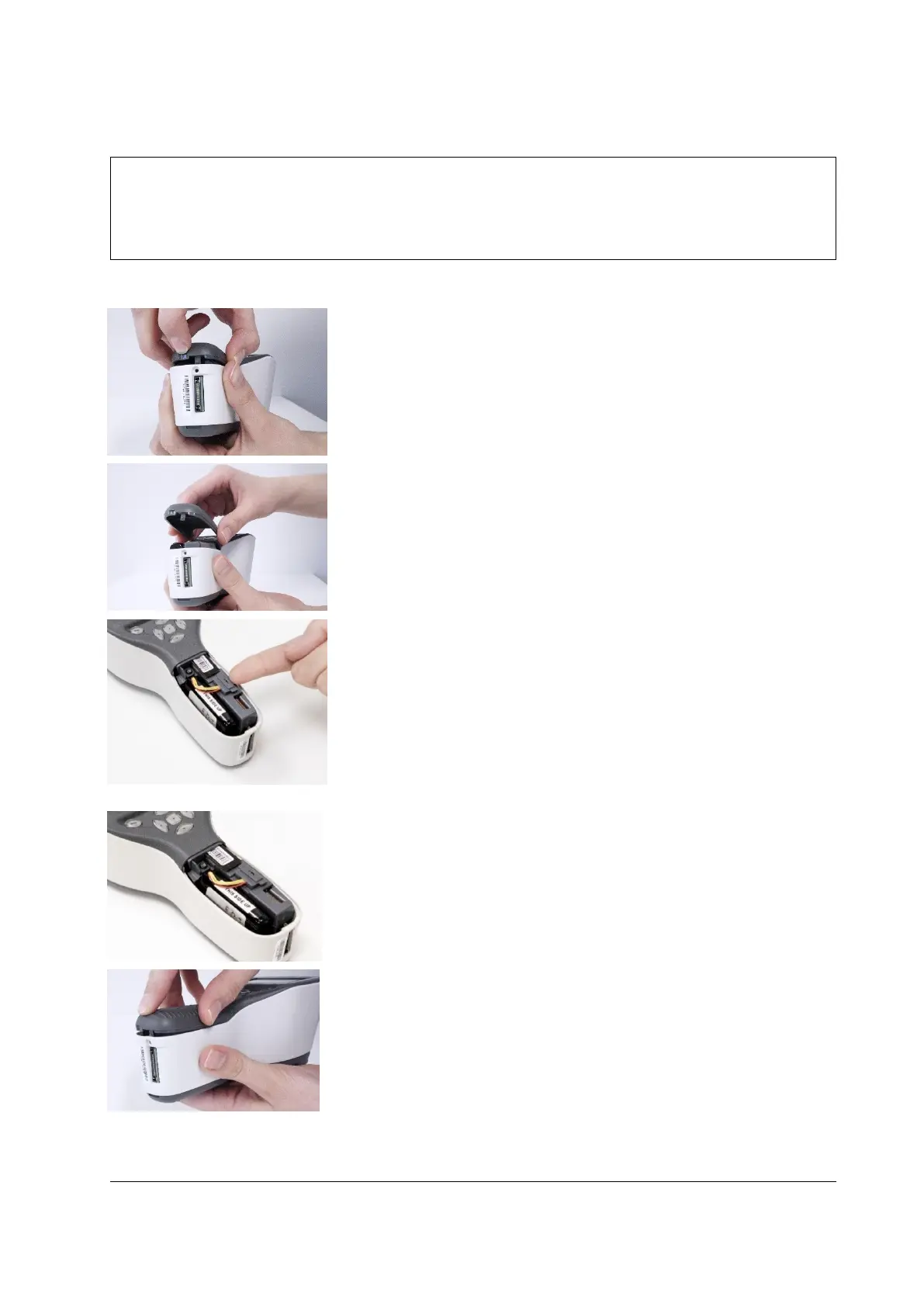
Procedure for replacing the battery:
Ensure that camera is powered off.
Open the battery compartment cover by lifting from the notch in
the bottom of the device with your finger. If the cover is tight, you
may use a small tool like pen to assist in opening.
Remove the battery compartment cover by lifting it up.
Remove the old battery by placing your fingernail underneath the
connector’s edge and lifting the connector and the battery out of
their sockets to disconnect the battery.
Note! Do not lift the connector by the cables as they may be
damaged.
Note! Avoid any unnecessary horizontal or wiggling movement
when disconnecting the battery.
Put the new battery in the same position and attach the connector
to its socket.
Replace the battery compartment cover by snapping it firmly to
place.



 To Next Page