Chapter 11
OPOS Driver Installation and Setup
11-5
10. The Characterset ID refers to the Code Pages that are loaded to the printer. Shown
below is a partial listing for reference purposes. Refer to Bixolon’s Code Pages
Manual for a complete listing of the SPP-R310 character code tables.
950
936
11. Tap Save, then tap OK to finish OPOS configuration.
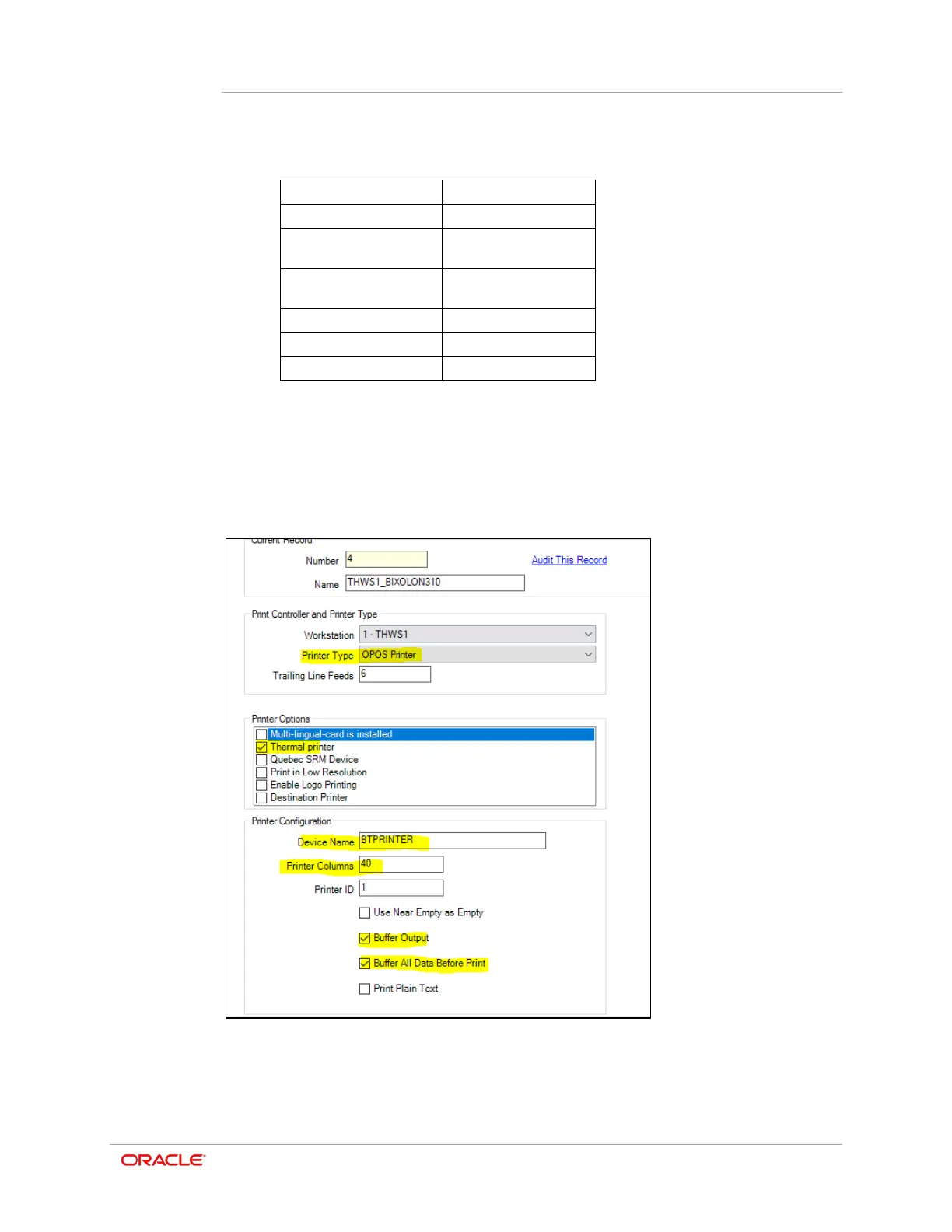
Setting Up an OPOS Printer in Simphony EMC
In Simphony EMC, configure the Bixolon 310 printer as an OPOS printer.
•
Printer Type = OPOS Printer
•
Thermal Printer = Enabled



 To Next Page