12-1
12
Maintenance
If the interior of the printer is dusty and the print quality has declined, you may find it helpful to
clean the printer. A thermal printer cleaning pen can be purchased separately from various
suppliers.
•
Use only the linerless paper specified in the
appendix. Use of other paper voids product
warranty.
•
Use a thermal printer cleaning pen (PCP-R200II)
provided by BIXOLON for cleaning or equivalent.
Cleaning the Printer
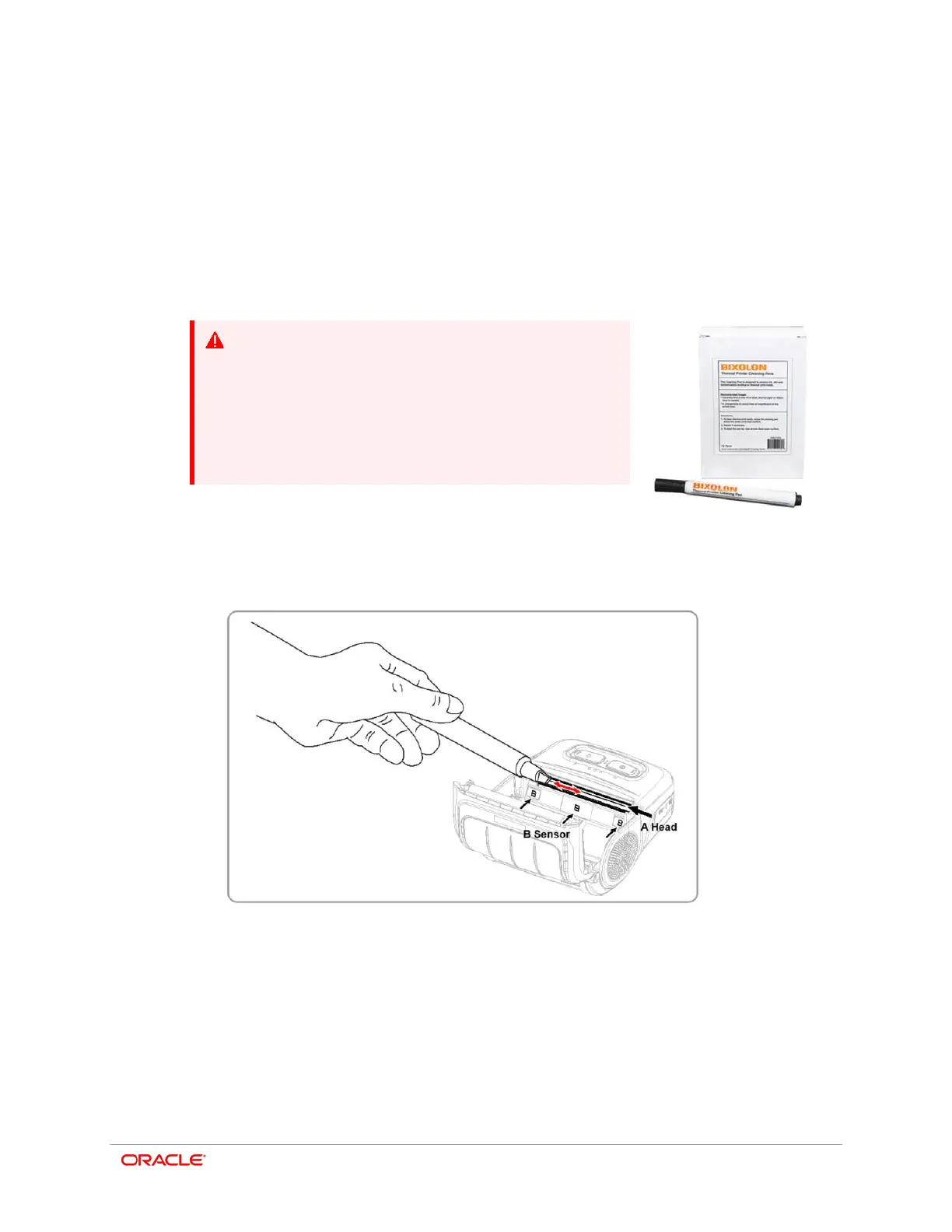
1. Open the paper cover and remove the paper.
2. Clean the print head (A) using a cleaning pen. Apply the cleaning pen from the center
to the edge of the print head (A) for cleaning.
3. Using the cleaning pen, remove the paper dust from the paper detection sensor (B).
The sensor could be located in the middle or on left or on right.
4. Do not use the printer for one to two minutes after cleaning the print head (A) to allow
the cleaning agent from the cleaning pen to completely evaporate and dry.
5. Insert the paper and close the paper cover.



 To Next Page