Turning your Mobile Hotspot On and
Off
Setting Up Wi-Fi Connection
IMPORTANT!
Charge the battery completely before you connect your computer to your Mobile Hotspot.
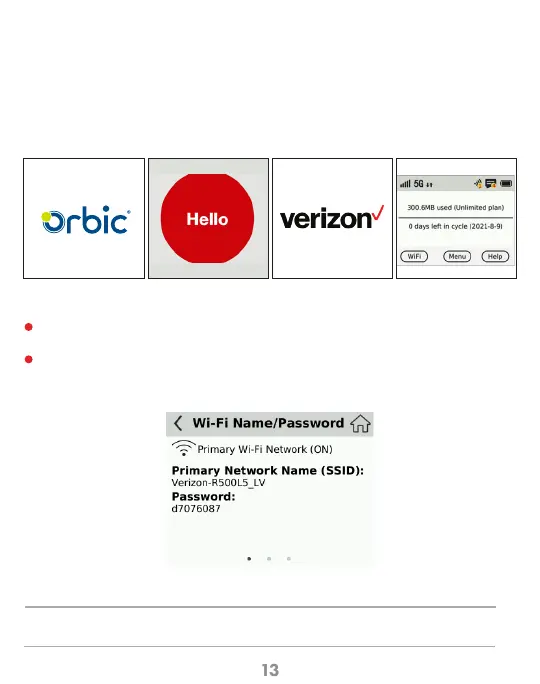
•To turn your Mobile Hotspot on, press and hold the Power button for 2 seconds
•To turn it off, press and hold the Power button for 3 seconds
•To wake the Mobile Hotspot display, press and release the Power button.
Press and hold the “power” button for 5 seconds until the welcome logo is displayed on
the Screen, and Wi-Fi is on.
Use your terminal device to search for the wireless network connection with the Wi-Fi’s
SSID “Verizon-R500L5-XX” enter Password and click “Connect”. The Password can be
found by going to the Wi-Fi Info screen.
Note: From the home screen select Wi-Fi>Name/Password
1
2



 To Next Page