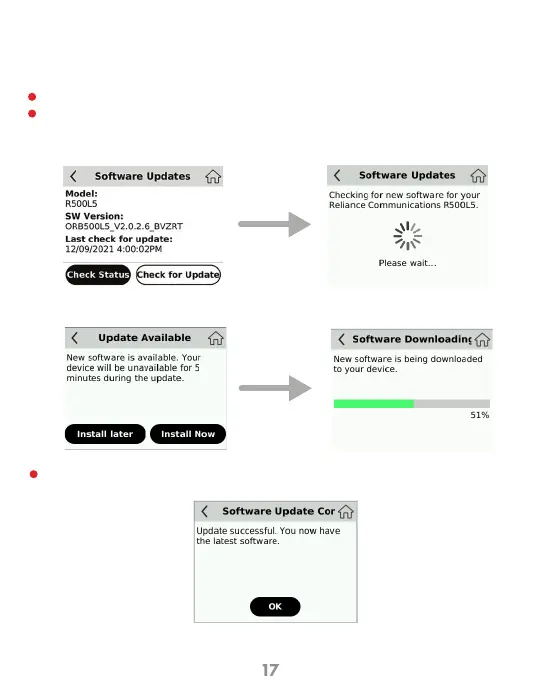
Allows you to view the current software version and to check available updates. To
check for a software update:
Menu > Software Updates to display the current software.
Click Check for Update menu to check for software updates. If an update is available,
follow the prompts on your device. Refer to the flow diagram that shows the pics of
software upgrade process and options.
If the Software is up to date the following screens will show.
Software Update Screen
Update successful
Check for
Update
Software Update
1
2
3
Install Now



 To Next Page