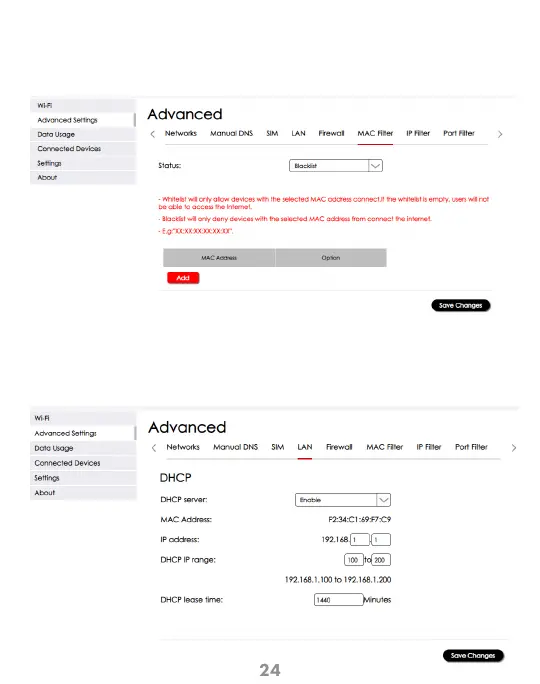
Configuration> Advanced Settings > LAN
This screen provides the ability to enable DHCP specific settings to apply to your device.
Remember to click “Save Changes” for the settings to take effect.
DHCP
Configuration > Advanced Settings> MAC Filter
This screen lets you select the ability to enable Whitelist or Blacklist devices to add.
Remember to click “Save Changes” for the settings to take effect.
MAC Filter



 To Next Page