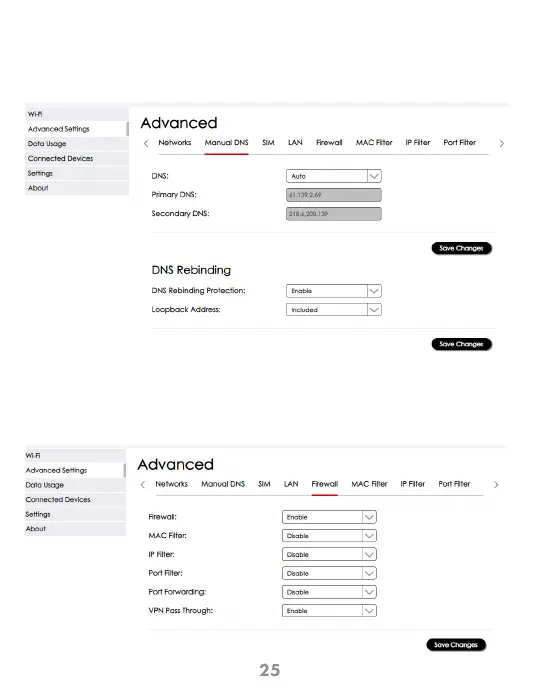
Configuration > Advanced Settings > Manual DNS
This screen lets you view and modify your DNS address and apply Filtering. Remember
to click “Save Changes” for the settings to take effect.
Manual DNS
Configuration > Advanced Settings > Firewall
This screen lets you control key firewall settings. IP filtering and Port filtering need to be
enabled here first before applying changes in other tabs. Remember to click “Save
Changes” for the settings to take effect.
Firewall



 To Next Page