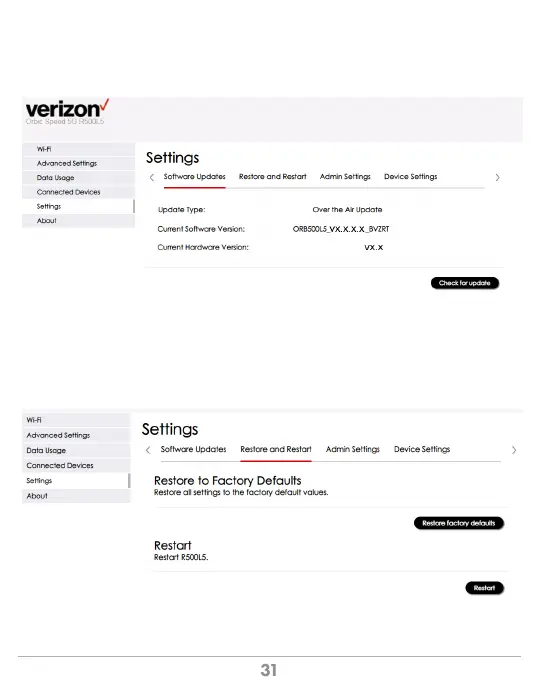
Software Updates
Configuration > Settings > Software Updates
This screen allows you to check for software and hardware version as well as to get
the latest software updates if one is available.
Restore and Restart
Configuration > Settings >Restore and Restart
This screen allows you to remotely reboot the mobile hotspot and perform a reset that will
restore the original factory settings to the device. This function can also be performed on
Mobile Hotspot (Menu > Settings > Factory Reset).



 To Next Page