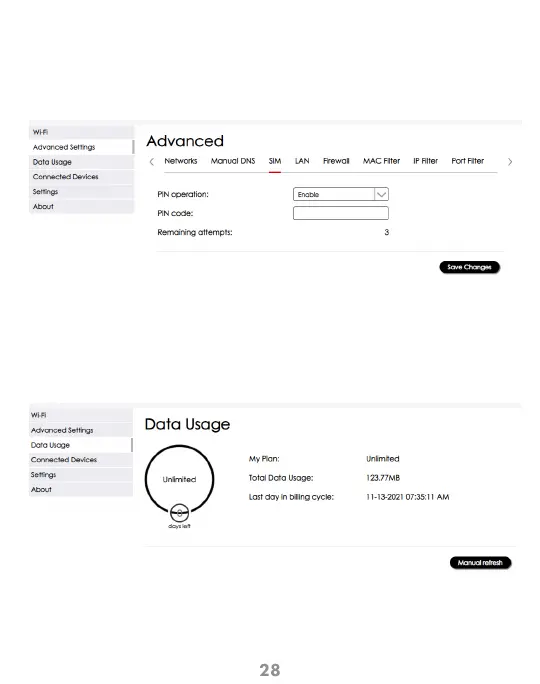
Configuration > Advanced Settings > SIM
This screen allows you to manage the SIM PIN feature. Remember to click
“Save Changes” for the settings to take effect.
SIM
Configuration > Data Usage
This screen allows you to view your data use information.
If you are on an unlimited plan, unlimited will be displayed.
Data Usage



 To Next Page