◆ APP settings
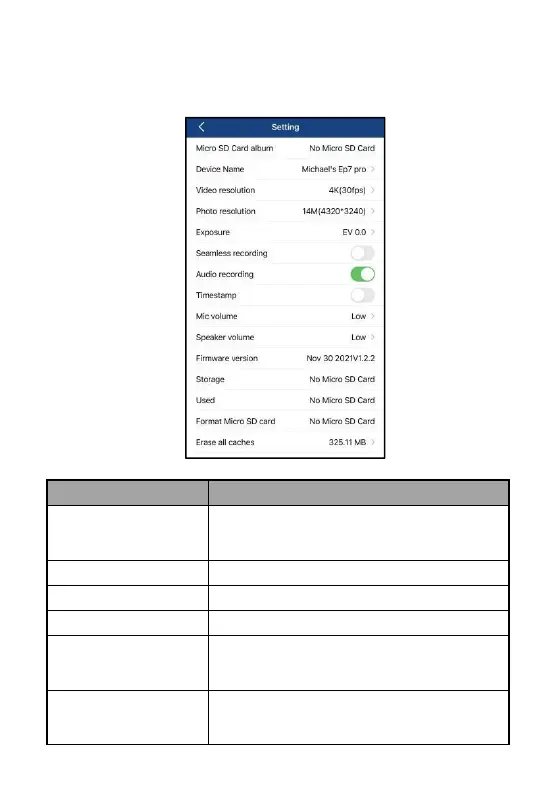
Please confirm the contents below for the names and functions in the
setting menu:
Playback of photos and videos, and these
photos and videos can be downloaded to your
local album.
Change the user-defined device name.
Select a desired video resolution.
Select a desired photo resolution.
The brightness can be adjusted by selecting any
value from the options EV3.0/EV2.0/EV1.0/
EV0.0/EV-1.0 /EV-2.0/EV-3.0.
Select Off/On for loop recording, namely when
the SD card is full, the first video file will be
overwritten for loop recording.



 To Next Page