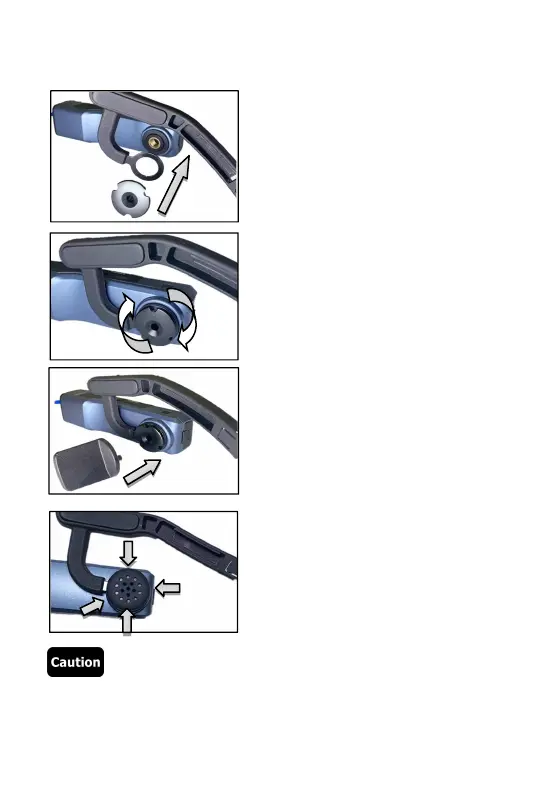
● Camcorder assembly
Step ❶ : As shown below, fit the
camcorder with the right side of the
headband and install the set screw.
Step
❷
: Screw up the set screw
clockwise as shown in the diagram.
Step ❸ : Adjust the correct angle of
the camcorder and use the small
spanner to tighten the set screw.
Step ➍ : Correctly insert the rubber
cap into the set screw to finish the
installation.
●Repeat the above steps inversely to disassemble the camcorder.



 To Next Page