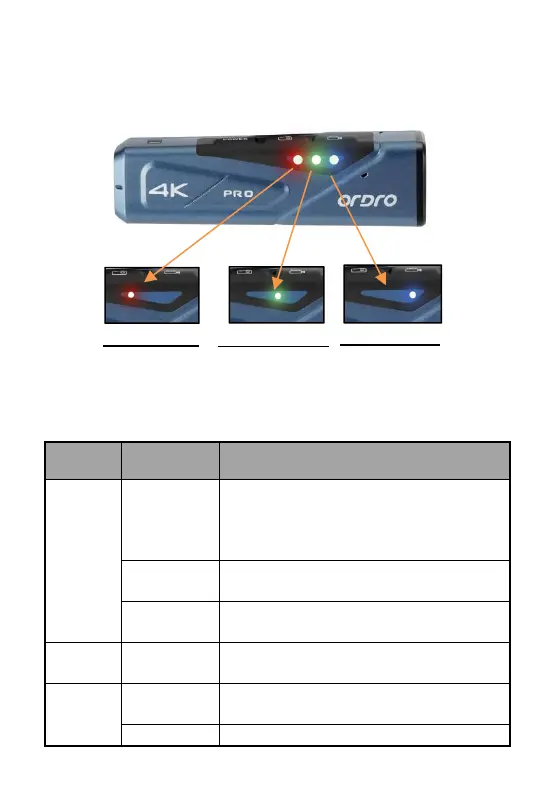
● Operating indicators
Please refer to the table below for the operating indicator statuses of
the camcorder.
The camcorder is switched on and in standby
status. It will go out after the device is switched
off;
Connect it to a computer by using USB cable.
Video recording/formatting.
General or candid photos are made
A USB cable is connected for charging, and it
will go out after the USB cable is disconnected.
Wi-Fi is enabled, and it will go out after Wi-Fi is
disabled.
Wi-Fi connection is successful.
Blue indicator
Using Wi-Fi
Green indicator
Standby Video
recording/photog
raphing



 To Next Page