DSPEC 50
®
and DSPEC 502
®
Digital Gamma-Ray Spectrometer User’s Manual 932502G / 0618
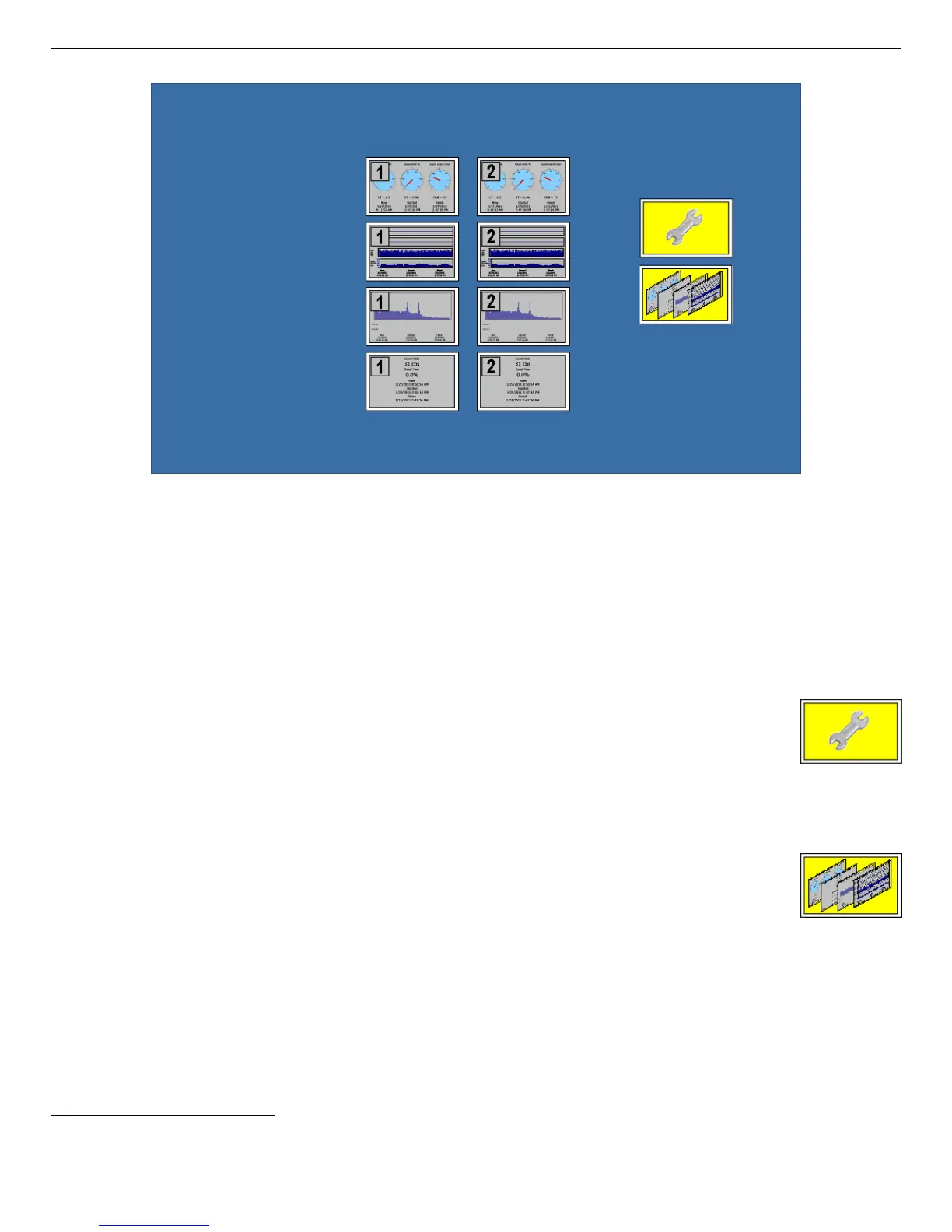
Figure 6. The DSPEC 502 Switchboard (showing the two banks of data display
thumbnails for MCA-1 and MCA-2).
— If the Switchboard is displayed for >5 seconds, it begins cycling through the four (or
two sets of four) data display screens
9
(see Section 2.1.3).
! Two interactive control screens:
— Communication Control Use this screen to change how the
data and time are displayed, assign a password to limit access to
this screen and the Display Control screen; and assign static IP
addresses to multiple DSPEC 50s where required (typically not
necessary); see Section 2.1.4.
— Display Control (Status Setup) This screen controls the display,
display order, and display interval of the touchscreen graphics; see
Section 2.1.3.
! Four data display screens (per MCA; i.e., two banks of four for the DSPEC 502) that
provide real-time system and data acquisition status. These allow you to monitor several
key data acquisition parameters at a glance, without referring to the computer. The four
data display screens — Gauges, Chart, Spectrum, and Big Numbers — are discussed
in Section 2.1.5.
9
Plus any user-added images; see page 19.
18



 To Next Page