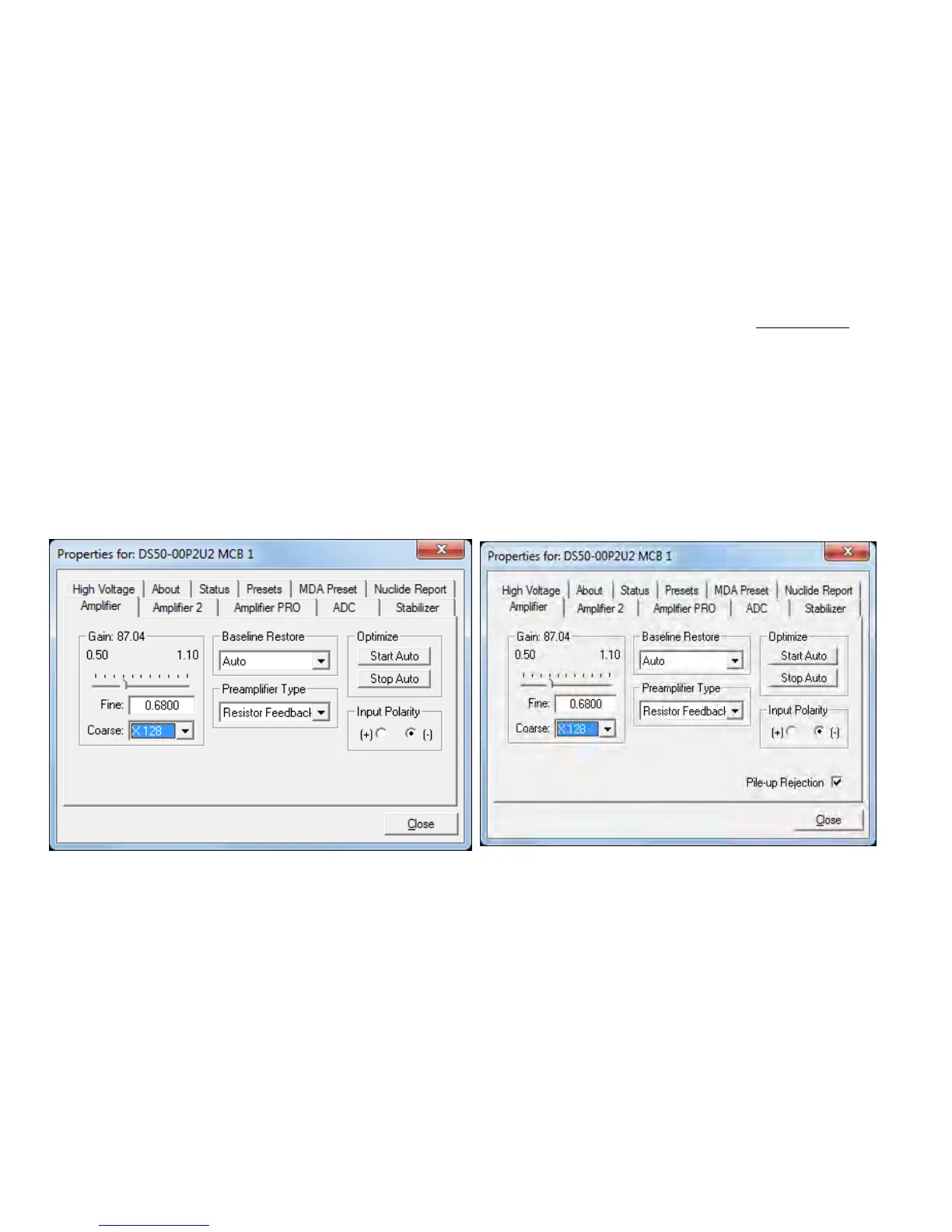
Figure 31. DSPEC 50 Amplifier Tab.
Figure 32. DSPEC 50A Amplifier Tab.
4. MCB PROPERTIES IN MAESTRO
This chapter discusses the hardware setup dialog you will see within MAESTRO and all other
ORTEC CONNECTIONS software (e.g., GammaVision, ISOTOPIC) when you click Acquire/
MCB Properties.... Data acquisition with the DSPEC 50 is completely software controlled.
The MCB Properties dialog contains all of the instrument controls including ADC setup
parameters, acquisition presets, amplifier gain adjustments, pole zero controls, detector bias
controls, and access to the InSight Virtual Oscilloscope. Just move from tab to tab and set your
hardware parameters, then click Close.
Note that as you enter characters in the data-entry fields, the characters will be underlined until
you move to another field or until 5 seconds have elapsed without further input. While the
entry is underlined, no other program or computer on the network can modify this value.
4.1. Amplifier
The Amplifier tab is shown in figures 31 and 32 for the Standard and Advanced models
respectively. This tab contains the controls for Gain, Baseline Restore, Preamplifier Type,
Input Polarity, and Optimize.
NOTE Be sure that all of the controls on the tabs have been set before clicking the Start
Auto (optimize) button. The changes you make on most property tabs take place
immediately. There is no cancel or undo for these dialogs.
39



 To Next Page