932502G / 0618 4, 5. MCB PROPERTIES IN MAESTRO
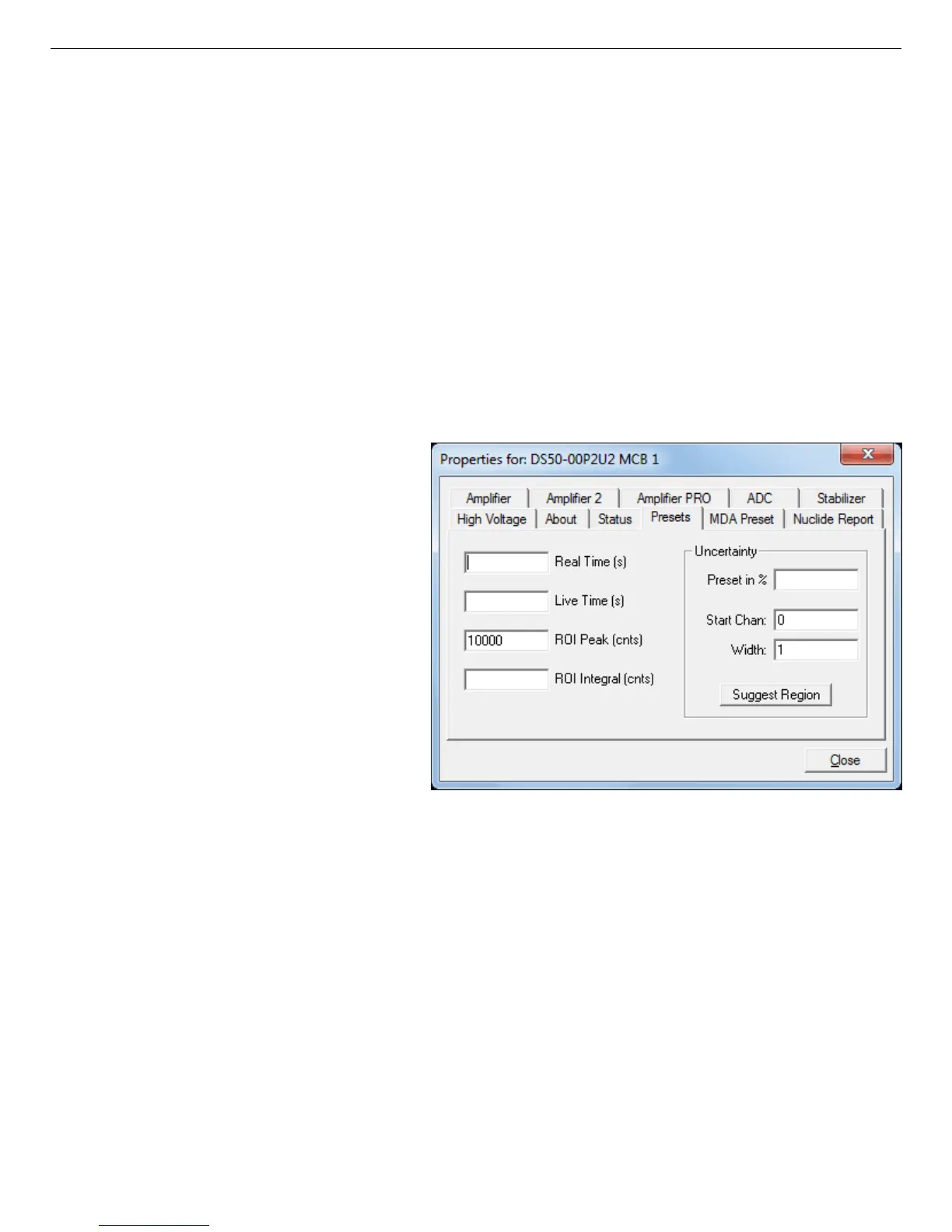
Figure 45. DSPEC 50 Presets Tab.
sets at one time. To disable a preset, enter a value of zero. If you disable all of the presets, data
acquisition will continue until manually stopped.
When more than one preset is enabled (set to a non-zero value), the first condition met during
the acquisition causes the MCB to stop. This can be useful when you are analyzing samples of
widely varying activity and do not know the general activity before counting. For example, the
Live Time preset can be set so that sufficient counts can be obtained for proper calculation of
the activity in the sample with the least activity. But if the sample contains a large amount of
this or another nuclide, the dead time could be high, resulting in a long counting time for the
sample. If you set the ROI Peak preset in addition to the Live Time preset, the low-level
samples will be counted to the desired fixed live time while the very active samples will be
counted for the ROI peak count. In this circumstance, the ROI Peak preset can be viewed as a
“safety valve.”
The values of all presets for the
currently selected MCB are shown
on the Status Sidebar. These values
do not change as new values are
entered on the Presets tab; the
changes take place only when you
Close the Properties dialog.
Enter the Real Time and Live
Time presets in units of seconds
and fractions of a second. These
values are stored internally with a
resolution of 20 milliseconds (ms)
since the MCB clock increments
by 20 ms. Real time means elapsed
time or clock time. Live time refers
to the amount of time that the MCB is available to accept another pulse (i.e., is not busy), and
is equal to the real time minus the dead time (the time the MCB is not available).
Enter the ROI Peak count preset value in counts. With this preset condition, the MCB stops
counting when any ROI channel reaches this value unless there are no ROIs marked in the
MCB, in which case that MCB continues counting until the count is manually stopped.
Enter the ROI Integral preset value in counts. With this preset condition, the MCB stops
counting when the sum of all counts in all ROI channels (regardless of the number of ROIs)
reaches this value. This has no function if no ROIs are marked in the MCB.
55



 To Next Page