932502G / 0618 4, 5. MCB PROPERTIES IN MAESTRO
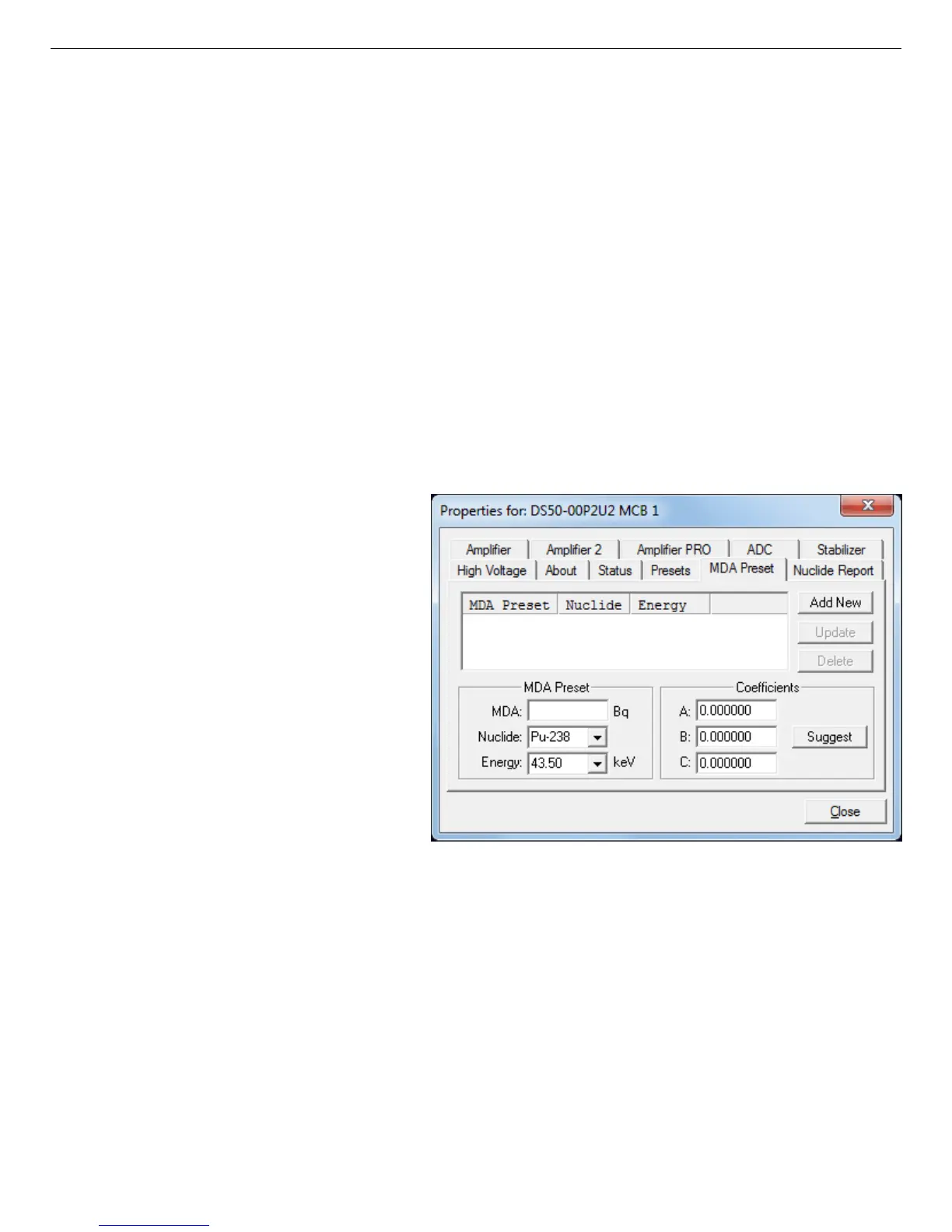
Figure 46. DSPEC 50 MDA Preset Tab.
Counts is the gross counts in an ROI that is 2.5×FWHM around the target peak energy.
Live time is evaluated in 40 second intervals for the MDA presets.
CorrectionFactor is the product of the calibration efficiency at the specified peak energy and
the peak’s branching ratio (yield) as listed in the working (active) library.
NOTE MAESTRO does not support efficiency calibration. The efficiency component in
the CorrectionFactor is set to 1.0; the preset field is labeled Correction instead of
MDA; and the preset is based on counting activity (cA) instead of becquerels. You
can enter the MDA preset either in counts; or corrected for factors such as sample
volume, attenuation, or calculated efficiency. For example, if you manually
calculate the efficiency for a peak, you can enter a corrected MDA target value by
multiplying the desired MDA value times the calculated efficiency, and entering
the product as the Correction.
To add an MDA preset, enter the
preset value in the MDA or Corre-
ction field; select the Nuclide and
Energy; enter the desired values
for coefficients a, b, and c; then
click Add New.
To edit an existing preset, click to
highlight it in the table. This will
load its Nuclide, Energy, and coef-
ficients in the lower sections of the
dialog. Change as needed, then
click Update.
To remove a preset, click to high-
light it in the table, then click Delete.
IMPORTANT These MDA presets are not dynamically calculated. Each time you add an
MDA preset to this table, its CorrectionFactor value is calculated and stored
in the MCB’s memory. If you then load a different library, change the
efficiency calibration, or change the system geometry, the spectroscopy
application will not update the existing CorrectionFactors, and your MDA
presets may no longer be applicable. When using spectrum analysis
applications such as GammaVision, you can create an analysis options file
(.SDF) for each system geometry that you use; and include in it a set of MDA
57



 To Next Page