EasyManua.ls Logo

oset TXP 24 - Drive Settings

oset TXP 24
38 pages
Print Icon
To Next Page IconTo Next Page
To Previous Page IconTo Previous Page
Loading...
50 51
CONTROLS
DRIVE SETTINGS
CONTROLS
PIN LOCK
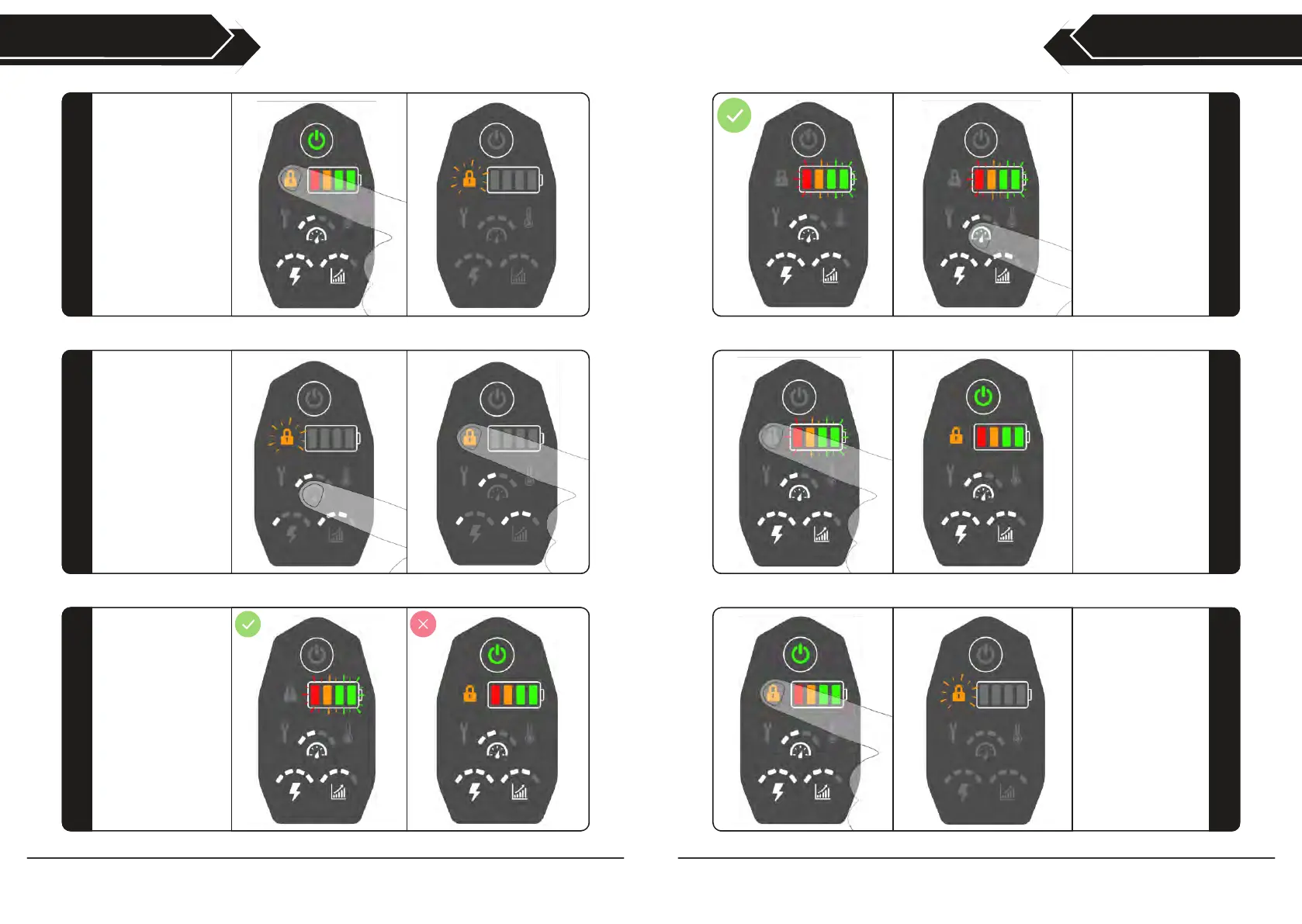
When your PIN is
entered correctly
and the keypad is
unlocked, the drive
settings can now
be adjusted.
Pressing the speed,
power and throttle
response setting
buttons will increase
their limit in 25%
intervals.
67
When the drive
settings are at the
desired levels, press
the lock button
again to save the
settings and lock
the keypad.
The keypad will
return to it’s default
locked state and the
bike will be ready to
ride.
68
To change your
PIN, press and hold
the lock button for 5
seconds. The lock
button will now
pulse.
69
To unlock the
keypad and change
the drive settings,
first press the lock
button.
The lock button will
flash and all other
indicators will go out,
indicating the keypad
is ready for the PIN
to be entered.
64
Press the three drive
setting buttons until
they display your
three digit PIN.
(Example shows the
default PIN 1,2,3,
read from left to
right).
Once your PIN is
displayed correctly,
press the lock button
again to unlock the
keypad.
65
If the PIN is entered
correctly, the lock
button will go out &
the battery charge
indicators will flash.
If the PIN is
incorrect, the keypad
will return to its
default locked state,
and the lock button
will be illuminated.
66