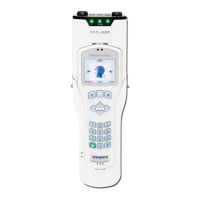
Otoport OAE+ABR
User Manual for Otoport Lite model
147
Quality checks
14.3 Cavity test
Due to mechanical or electrical failure or a faulty probe, the system may
itself produce signals during a test that have similar characteristics to an
OAE response. The test cavity will not produce any OAE signal so any
signal produced in the cavity is the result of a fault.
By performing an OAE test in a cavity rather than an ear it is possible
to determine whether signal responses recorded in the ear are being
generated by a fault.
Before starting a cavity test: for the TE model, change the Test Settings
Display to Circles; for the DP model, change the stimulus level to 65/55
(see chapter 11 Conguration).
Follow the instructions on the previous page for inserting the probe into the
test cavity.
Start a test on the Otoport as you would for an ordinary ear (see chapter 7
OAE test procedure).
Follow the Checkt and Test screen sequences until the test stops. In a
cavity the Checkt screen should indicate a large cavity volume.
If the result No Valid OAE is displayed and the Circles are no more than
25 percent full when the test stops, the cavity test has passed.
If the result Stopped Too Soon, Too Noisy or Poor Probe Fit is achieved,
retest checking that the probe ear piece is rmly inserted into the test cavity
and that the noise conditions within the room are acceptable for a test to be
conducted. Continue to retest until either a No Valid OAE or a Pass result
is given.
If Pass is shown at the end of the test or if the circle for any band is more
than ¼ lled, save and retest making sure the ear piece has been rmly
pressed into the test cavity.
Check the top of the test cavity and ensure it is securely attached to the
clear plastic part of the test cavity. If the resources are available, repeat
the test with a dierent test cavity and then with a dierent probe. This
will identify which component is responsible for the problem. Contact your
dealer or Otodynamics for further advice.
Note:
If a signal is detected in the test cavity, ensure that ve
successful cavity tests are performed on the Otoport before
returning it to use. Ret the probe in the cavity between each
test.



 To Next Page