CHAPTER TEN
Records
98
Records
10.1 Patient list
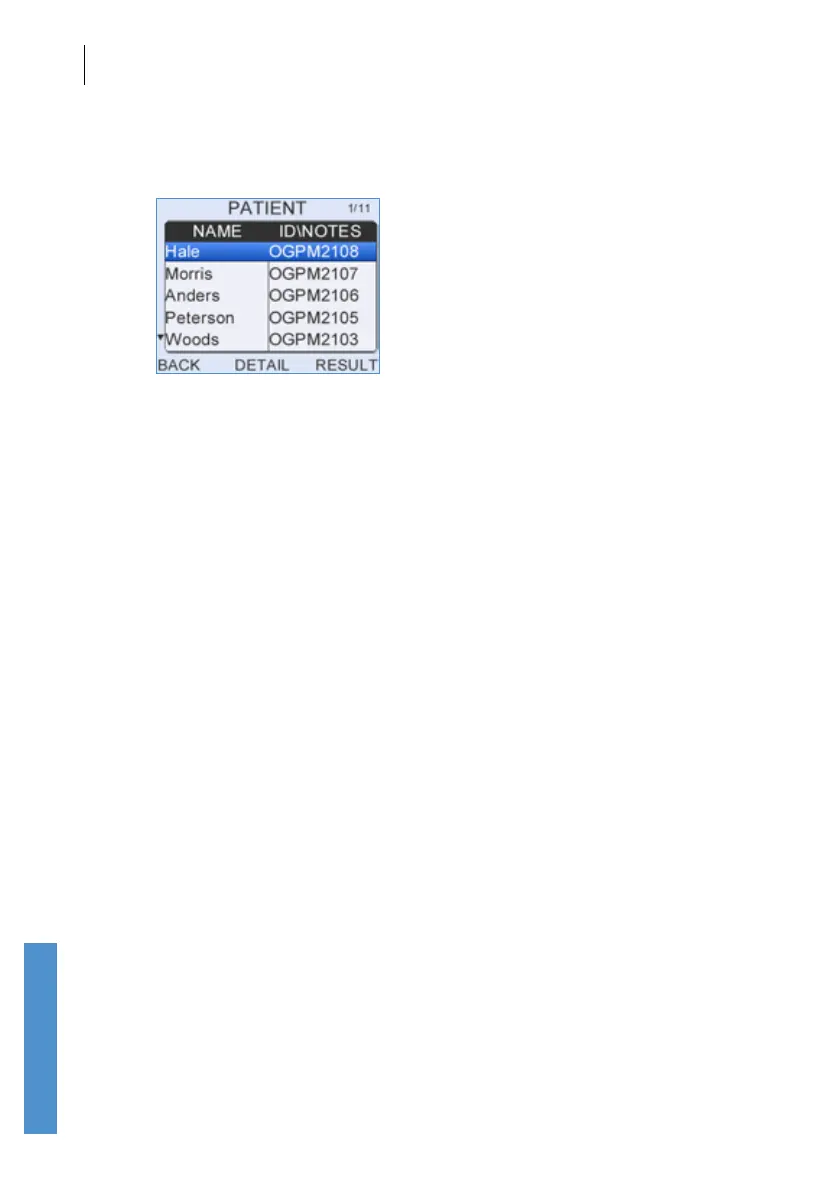
The Patient list displays the ID/Notes eld and Name of each patient. The
up and down arrow indicators to the left of the Patient list show that there
are other patient records not currently visible on screen. At the top of the
screen, the total number of patients in the list and the position of the current
patient in the list are displayed: 12/34 indicates that the current patient is
twelfth in a list of 34 patients.
Use the up and down arrow keys to scroll through the list one patient
record at a time. A selected patient will be shown as highlighted in the list.
Use the left and right arrow keys to skip through the Patient list ± 5 records
at a time.
Select Detail to review the complete Patient Details of the highlighted
patient or to run a new test on this patient.
Select Result when a patient is highlighted to inspect the patient’s saved
test results. A summary of each test will be shown.
Select Back at any time to exit the Patient list screen and return to the
main menu.



 To Next Page