Need help?
Do you have a question about the OTOLIFT 87 and is the answer not in the manual?
Describes fundamental operational principles and components of the chairlift.
Identifies key components and connectors on the main PCB.
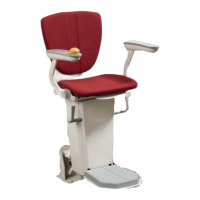
Illustrates and names external components and their locations on the chairlift.
Clarifies directional definitions (left/right) for user and rail placement.
Explains how to identify the installed software version.
Details the inputs and connections for chairlift operation controls.
Lists safety devices and their connection for lift movement prevention.
Explains safety inputs on the left, right, and bottom sides of the chairlift.
Describes additional input signals like Rotation Monitor Unit and Service Box.
Details the outputs from the PCB for powering components and signaling.
Explains the logic and function of each dipswitch on the main PCB for configuration.
Outlines essential prerequisites and considerations before programming.
Provides step-by-step instructions for programming the chairlift and extra charge points.
Explains the use of bypass connectors for moving a defective lift.
Details necessary interconnections using jumpers for specific configurations.
Clarifies pin numbering conventions for PCB connectors.
Describes how battery charging points are interconnected.
Explains the alarm triggered when the lift is not charging.
Details the onboard charging circuit and transformer usage.
Specifies the main fuse for protection of the electronics.
Explains the sleep mode function for low power consumption.
Advises on battery maintenance during extended periods of non-use.
Step-by-step guide for programming remotes to the receiver.
Adjusting remote logic based on rail installation (left/right).
Instructions for setting dipswitches on 1-channel components.
Lists specific model numbers for remotes and receivers.
Describes the sliding hinge, its control, and power source.
Explains the folding hinge, its control, and interaction with PCBs.
Alerts about compatibility issues with older hinge PCBs.
Details a fault condition and its resolution for the sliding hinge.
Lists display codes and their meanings for mechanical error diagnosis.
Explains the status indications provided by LEDs on the main PCB.
Describes how to read and interpret the error log stored in the PCB memory.
Details errors requiring mechanic attention and how to reset them.
Explains the function of the safety line fuse and error indications when it blows.
Provides instructions on how to reset the system after an error is resolved.
Describes how to reposition the chairlift after it has come off the rail.
Explains the function and operation of the Over Speed Governor system.
Details the operation and logic of the folding rail mechanism.
Explains the function and troubleshooting of the proximity switch.
Explains standard operating procedures and startup signals.
Interprets the meaning of the armrest LED's status indications.
Explains the beeper signals indicating safety edge activation or other faults.
Drawing of lay-out PCB and info.
Schematics main PCB 86900.
Connection of wiring, page 1.
Connection of wiring, page 2.
Connection of wiring powered sliding hinge.
Schematic powered sliding hinge PCB ssp 042 v6.
Connection of wiring powered folding hinge.
Logic of LED's powered folding hinge PCB ssp 007/008 v3.
Schematic powered folding hinge PCB ssp 007/008 v3.
Connection of wiring charging-point.
Logic of display-errors.
Logic LED armrest and beeper.
Connection of proximity switch (sensor).
 General
| Brand | OTOLIFT |
|---|---|
| Model | 87 |
| Category | Stairlifts |
| Language | English |

 To Next Page