21
7.1.4 The Pairing Button
To avoid that another user’s Heel Switch can communicate with your Control Unit,
your Control Unit must be set up to only recognize your Heel Switch. This is called
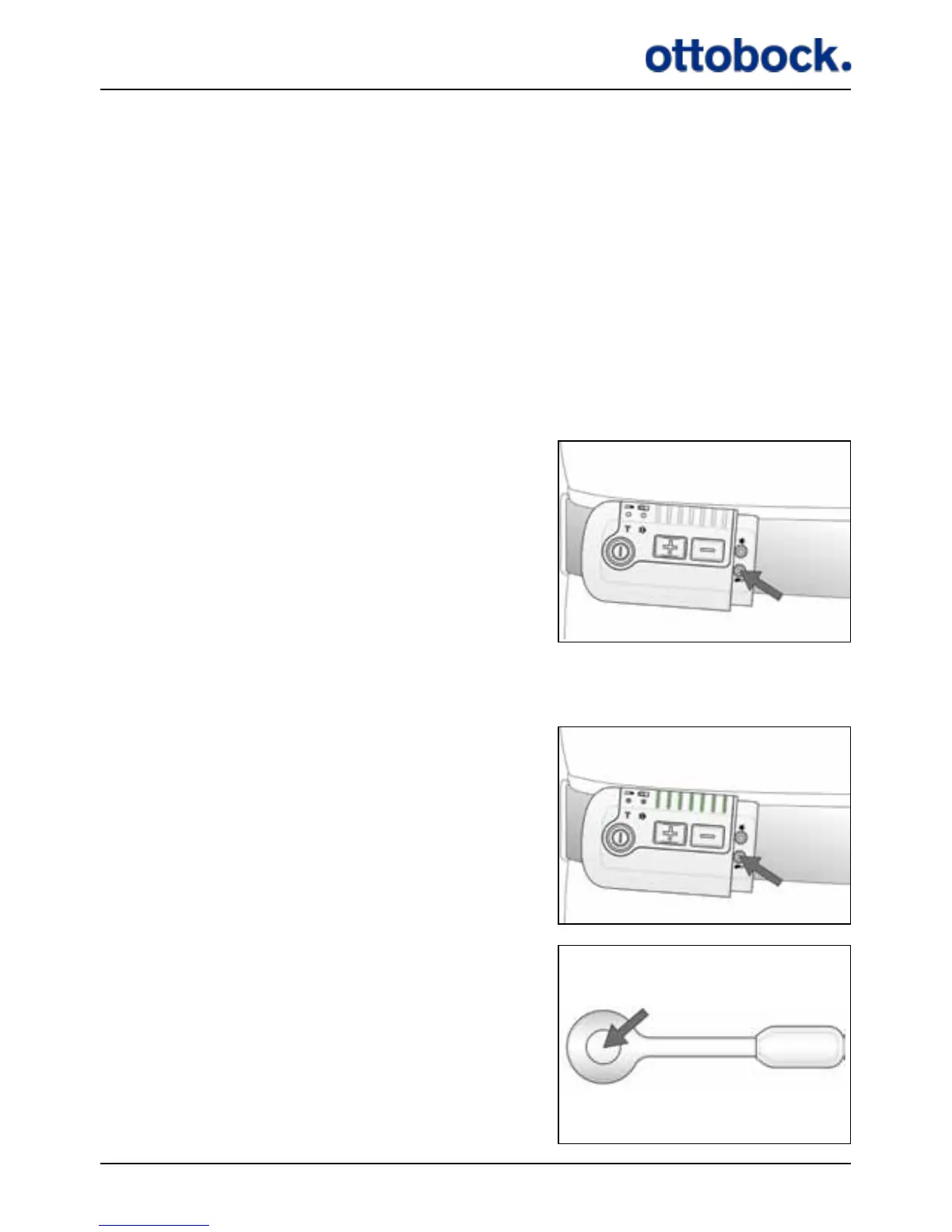
pairing. The pairing button is a pencil button hidden under the Antenna plug below
the mute button. The pairing button is marked with the same icon as the heel switch
light indicator.
Each Control Unit can be paired with up to 4 Heel Switches at the same time. If you
pair a fth Heel Switch, the rst one will be erased from the Control Unit’s memory.
When you start using a new Heel Switch or Control Unit always remember to pair
them.
Press the pairing button with a pencil or similar…
…all indicators will light up…
…press the Heel Switch once. Your Control Unit
and Heel Switch are now paired and the lights
of the Control Unit are turned o.


 To Next Page