Page 9
Service Instructions B500
Settings/substitution/replacement
Replacing or removing the frame
Important!
o Turn off the B500 before starting any work
on the frame!
o Observe the cables fastened to frame, seat
or drive bracket using cable binders!
o Use caution to cut the cable binders
without damaging any cable using a
diagonal cutter or a knife!
- Place the B500 on a flat surface, and secure
it against rolling away.
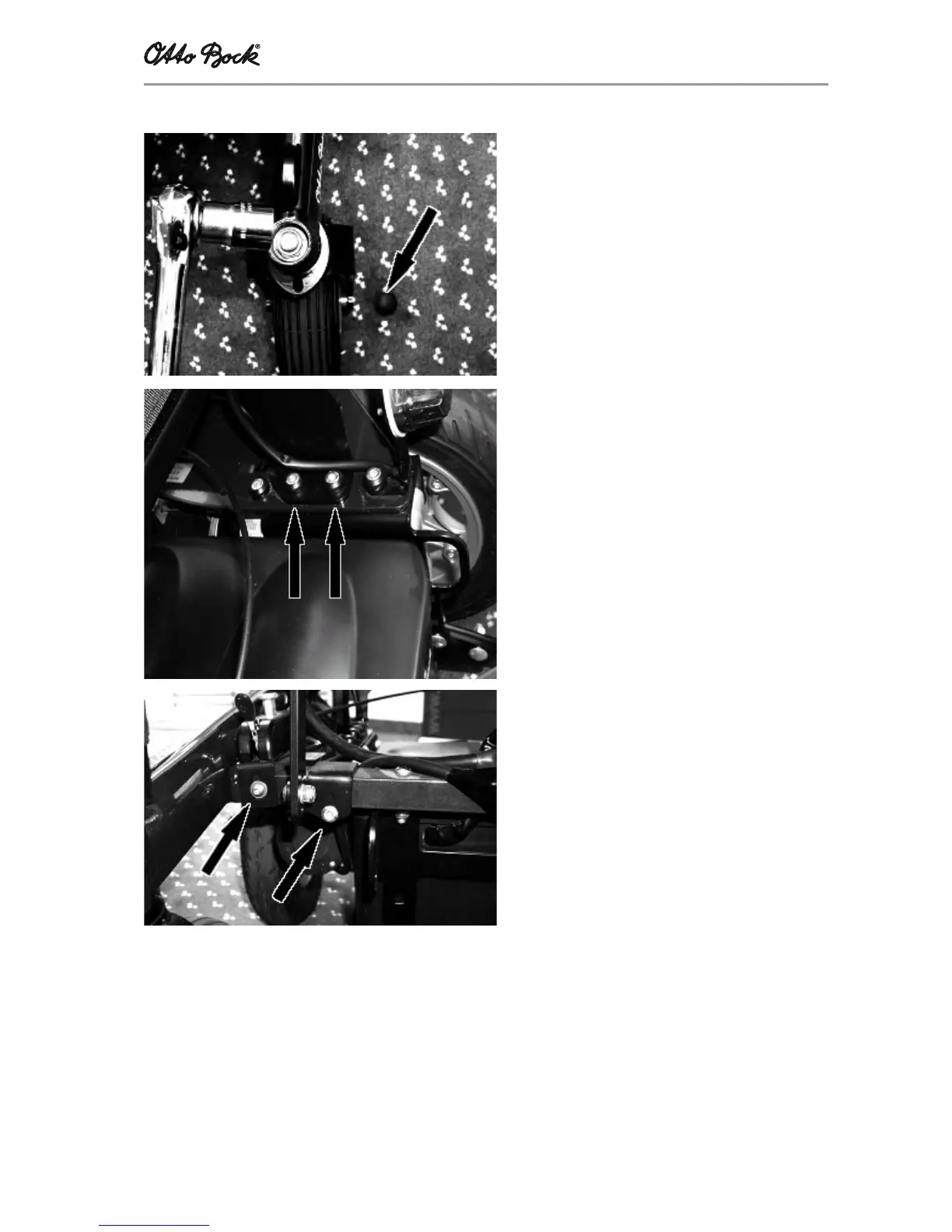
- Remove the black plastic protector cap
- Use a size 19 socket and a ratchet to
unscrew and remove the front-wheel fork
- Use a suitable device to protect the wheel-
chair against overturning
- Use an Allen wrench to remove the seat:
Undo all screw connections
(four rear and two front screw connections)
which are used to secure the seat lugs to
the frame
- Unscrew all other parts fastened to the frame
(e.g., lamps and brake release)
- Remove the frame
4.4.1.3 Frame














 To Next Page