Page 15
Service Instructions B500
Settings/substitution/replacement
4.4.1.6 Front wheels
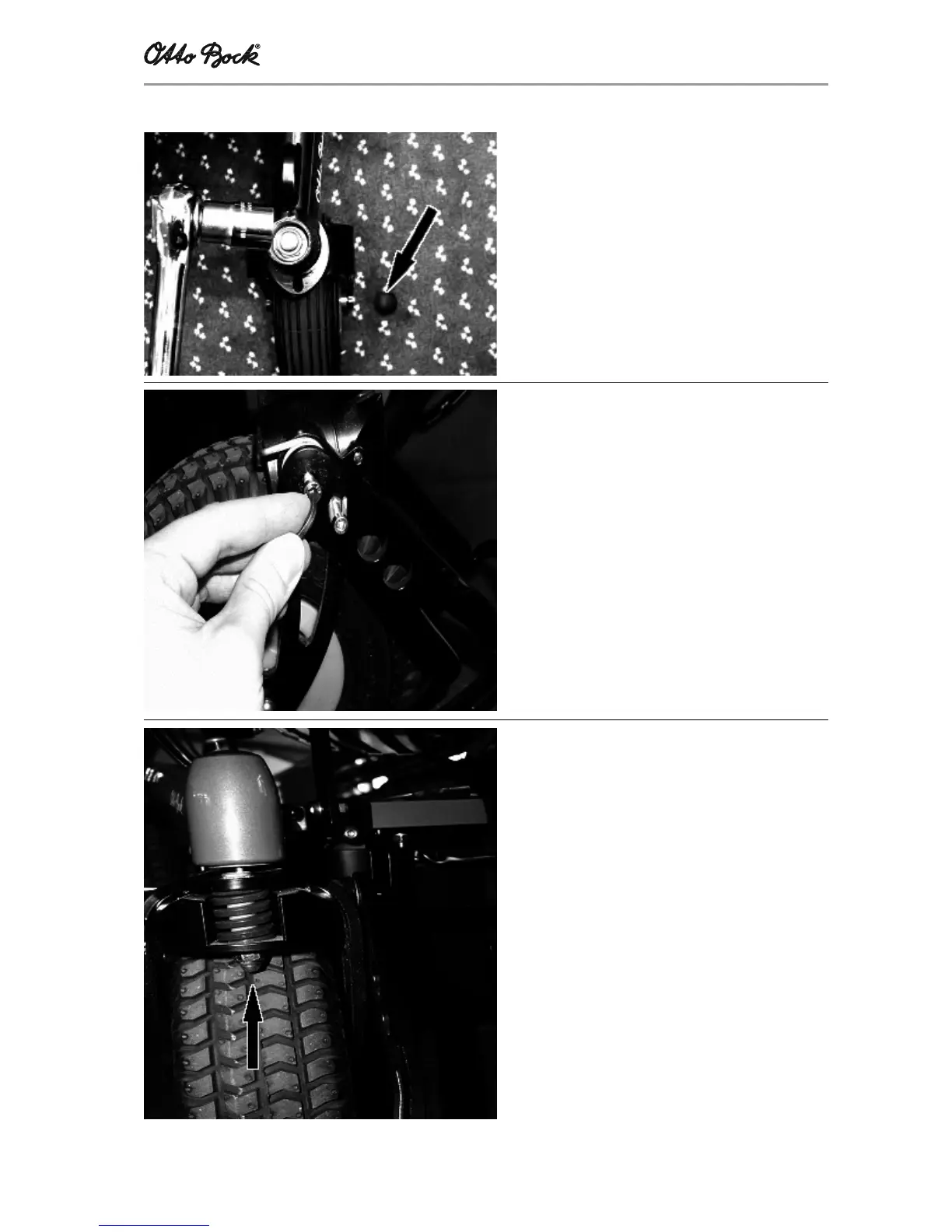
Replacing and removing the handlebar fork
Removal:
- Remove the black plastic dust protection cap
at the top of the handlebar fork retainer using
a screwdriver
- Use a size 20 socket to unscrew the nut, and
slide out the fork toward the bottom
Installation:
- Insert the fork, and tighten the nut using a
size 20 socket
- Put on the black plastic dust protection cap
Installing or replacing the edge mounting aid
- Unscrew and remove both hexagon socket
screws (M10x25)
- Establish the connection between spring fork
and edge mounting aid: Install the thrust plate
between spring fork and edge mounting aid,
hen screw in the threaded bolts
- Fasten the spring mounting with the leg
spring: Make certain that the inside leg of the
spring is located between fork and threaded
bush
- Secure the screw connection using „Loctite“,
and tighten the screws
Replacing or removing the springs
To replace the front-wheel fork springs, undo the
screw located in the spring. The spring effect is
modified by strongly tightening the screw.














 To Next Page