57
OutBack Power Systems Inc.
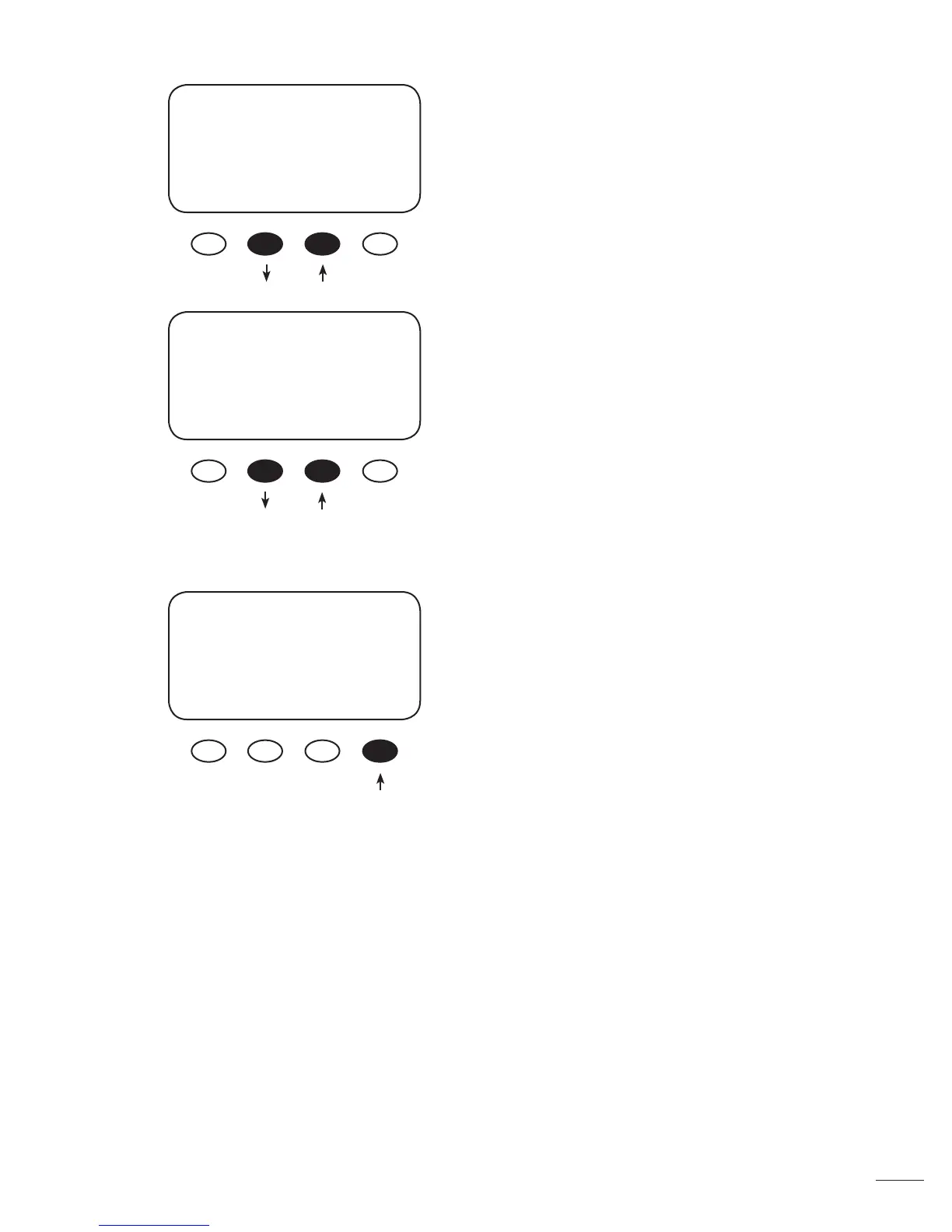
In the ADVANCED MENU screen, press the <NEXT>
soft key until the Mpp Range Limit % VOC screen
appears. Press the <1/2> soft key until FULL appears.
When nished, press the <NEXT> soft key to go to
the Sweep Interval screen.
In the Sweep Interval screen, press the <-MIN> soft
key to adjust the sweep interval from 03 minutes
(default) to 00 minutes. Press the <NEXT> soft key
until the MPPT Mode screen appears.
To pick between Auto Sweep or U-Pick % MPPT
Mode and determine the MX60’s operating Voc per-
centage, press the <NEXT> soft key until the MPPT
Mode Menu appears.
Press the <MODE> soft key to interchange between
Auto Sweep and U-Pick%Voc modes. Re-entering
the password might be required. Press the <NEXT>
soft key in the ADVANCED MENU until the Park Mpp
screen appears.
ADVANCED MENU
Mpp Range Limit %Voc
min max
EXIT NEXT 1/2 90%
ADVANCED MENU
Sweep Interval
03 Minutes
EXIT NEXT -MIN MAX+
ADVANCED MENU
MPPT Mode
Auto Sweep
EXIT NEXT nonGT MODE



 To Next Page