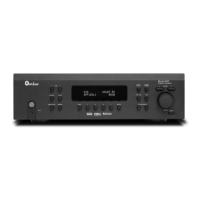
Model 975 7.1 Channel Preamp/Processor
5
Chapter 4
Operation
Choose a Device to Operate 37
Power 37
Selecting a Source 38
Volume Control 38
Muting 38
Changing the Surround Mode 39
Switching to Stereo 40
Adjusting the Tone Controls 40
Adjusting the Lip Sync Delay 40
Activating Night Mode (DRC) 41
Adjusting LFE Trim 41
Setting Speaker Size 41
Checking Operating Status 42
Adjusting Channel Levels 42
Listening With Headphones 43
Audio Recording 43
Chapter 5
Tuner Operation
Select Tuner and Band 44
Tune a Station Manually 44
Create Memory Preset Manually 45
Create Memory Preset Automatically 45
Select a Preset Station 45
Entering a Station Manually 46
Select FM Mono 46
Table of Contents
Please Read First
WARNING: Important Safeguards 2
Precautions 3
Outdoor Antenna Installation 3
Unpacking 4
Chapter 1
Model 975 7.1 Channel Preamp/Processor
Model 975 Features 6
Accessories 7
Model 975 Front Panel 8
Model 975 Rear Panel 9
Remote Controls 10
Front Panel Display 15
Audio Formats and Listening Modes 16
Speaker Setup Tips 18
Chapter 2
Connecting Your Model 975
Connecting Audio Components 20
Connecting Video Components 22
Antenna Connections 24
External Amplier Connections 24
Power Control Connections 25
Power Connection 25
Chapter 3
System Setup
Menu Navigation 26
Speaker Setup 28
Input Setup 31
Video Setup 33
Audio Setup 33
Video Output Setup 35
Advanced Dolby/DTS Setup 35
Chapter 6
Remote Control Operation
Programming Using Direct Code Entry 47
Programming Using Auto Code Search 48
Activate Punch-through Volume 48
Deactivate Punch-through Volume 49
Activate Punch-through Channel 50
Deactivate Punch-through Channel 50
Macro Power Mode 51
Restoring Factory Settings 51
Chapter 7
Care and Maintenance
Cleaning 52
When You Are Away 52
System Reset 53
Software Version and Upgrade 53
Troubleshooting Guide 54
Specications 55
Model 975 Connection and Settings Chart 56
Remote Control Codes 57
30-Day Satisfaction Guarantee 60
Outlaw Audio Limited Warranty 60


 To Next Page