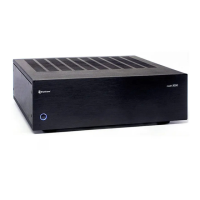
Model 975 7.1 Channel Preamp/Processor
9
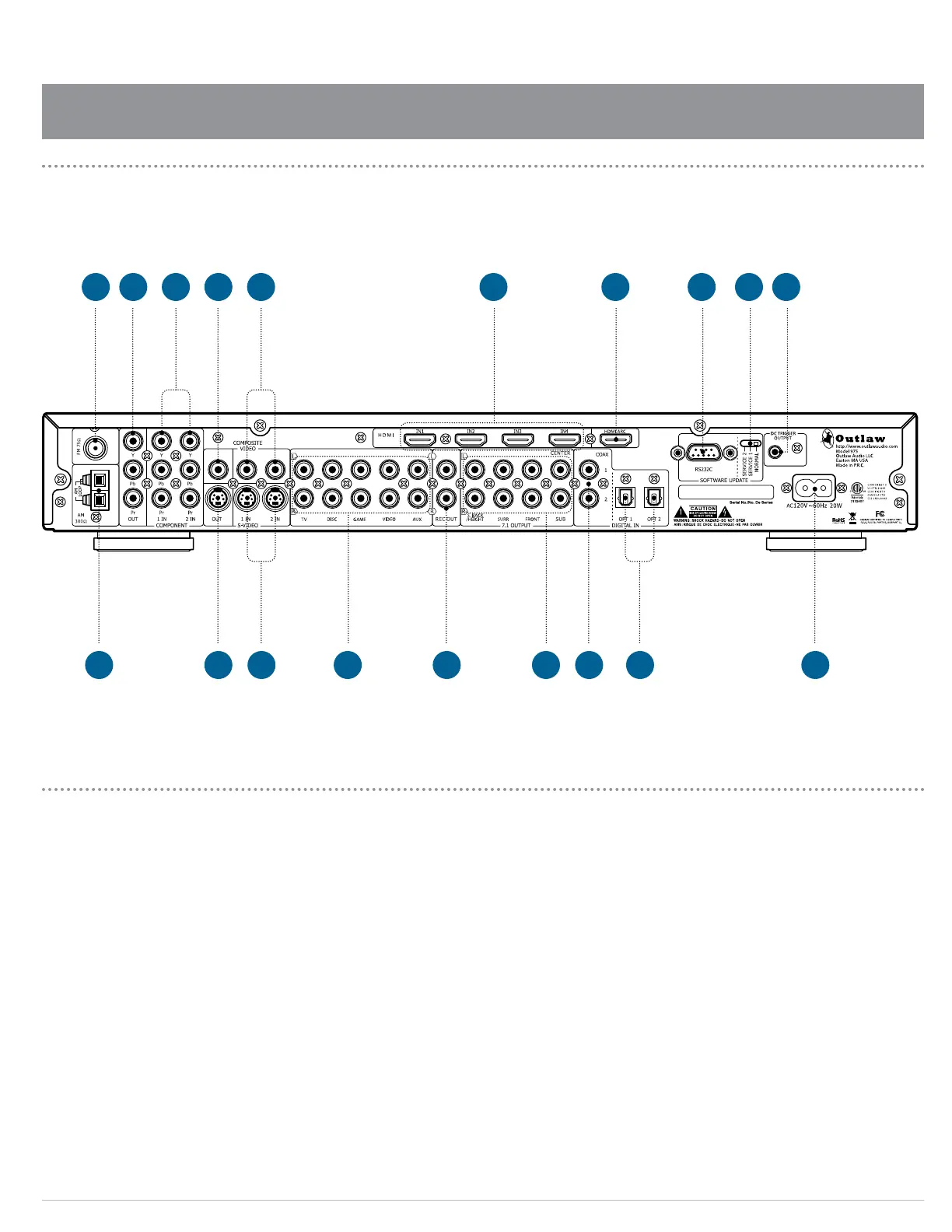
Model 975 Rear Panel
connections and switches
Model 975 Rear Panel
A. FM Antenna terminal (see page 24)
Use to connect the supplied FM antenna or an external
75Ω antenna.
B. Component Video Output jacks (see pages 22-23)
Use these jacks to connect to a display with compo-
nent video input, such as a TV or video projector.
C. Component Video Input jacks (see pages 22-23)
Use these jacks to connect devices with component
video outputs such as a DVD player or HDTV tuner.
D. Composite Video Output jack (see pages 22-23)
This jack connects to a display with composite video
input, such as older TVs.
E. Composite Video Input jacks (see pages 22-23)
These two jacks connect to older video devices with
composite video output, such as VCRs, laserdisc play-
ers and vintage video game consoles.
F. HDMI Input jacks (see pages 22-23)
These four jacks provide the best possible audio and
video connection to audio/video source devices with
HDMI jacks. They carry high-denition video and are
the only way to listen to the latest high-resolution for-
mats such as DTS-HD Master Audio and Dolby TrueHD.
G. HDMI/ARC Output jack (see page 23)
Use this output to connect to video displays with HDMI
inputs. If your display has an HDMI input, you will get
the best quality by using this connection. This connec-
tion can also carry audio back from your TV set into the
Model 975, so it can be reproduced through your home
theater sound system.
H. RS-232C connector
This jack allows the Model 975 to be connected to
a computer for software updates. It is also used for
servicing. It cannot be used to control the Model 975.
I. RS-232C control switch
This switch is used to set the mode for the RS-232C
connection. For normal operation, it should be left in
the NORMAL position.
J. DC Trigger output (see page 24)
This jack emits a 12-volt DC trigger signal when the
Model 975’s power is on. Use it to control external
devices (such as a power amplier) with a 3-32 VDC
trigger input. The connected device will turn on and
o automatically, in sync with the Model 975.
K. AM Antenna terminals (see page 24)
Connect the supplied AM loop antenna or an external
AM antenna to these terminals.
L. S-Video Output jack (see pages 22-23)
This jack connects to a display with an S-video input,
such as older TVs.
M. S-Video Input jacks (see pages 22-23)
These two jacks connect to video devices with S-video
outputs, such as S-VHS VCRs and laserdisc players.
N. Analog Audio Input jacks (see pages 20-21)
These ve sets of jacks connect to audio or audio/video
sources with analog outputs. They may be used with
audio-only devices, such as an iPod dock or satellite
radio tuner, and should be used with any audio/video
source device that does not oer digital output.
O. Analog Audio Rec Out jacks (see pages 20-21)
This set of jacks can be used for recording stereo sound
from the currently selected audio or audio/video input.
R S
A B DC FE H IG J
K L O QM N P


 To Next Page