Outlaw Audio
52
Care and
Maintenance
Chapter 7 Contents
52 Cleaning
52 When You Are Away
53 System Reset
53 Troubleshooting
55 Specications
56 Model 975 Connection Record Chart
57 Remote Control Codes
60 Outlaw Audio Limited Warranty
Chapter 7 Overview
Cleaning When You Are Away
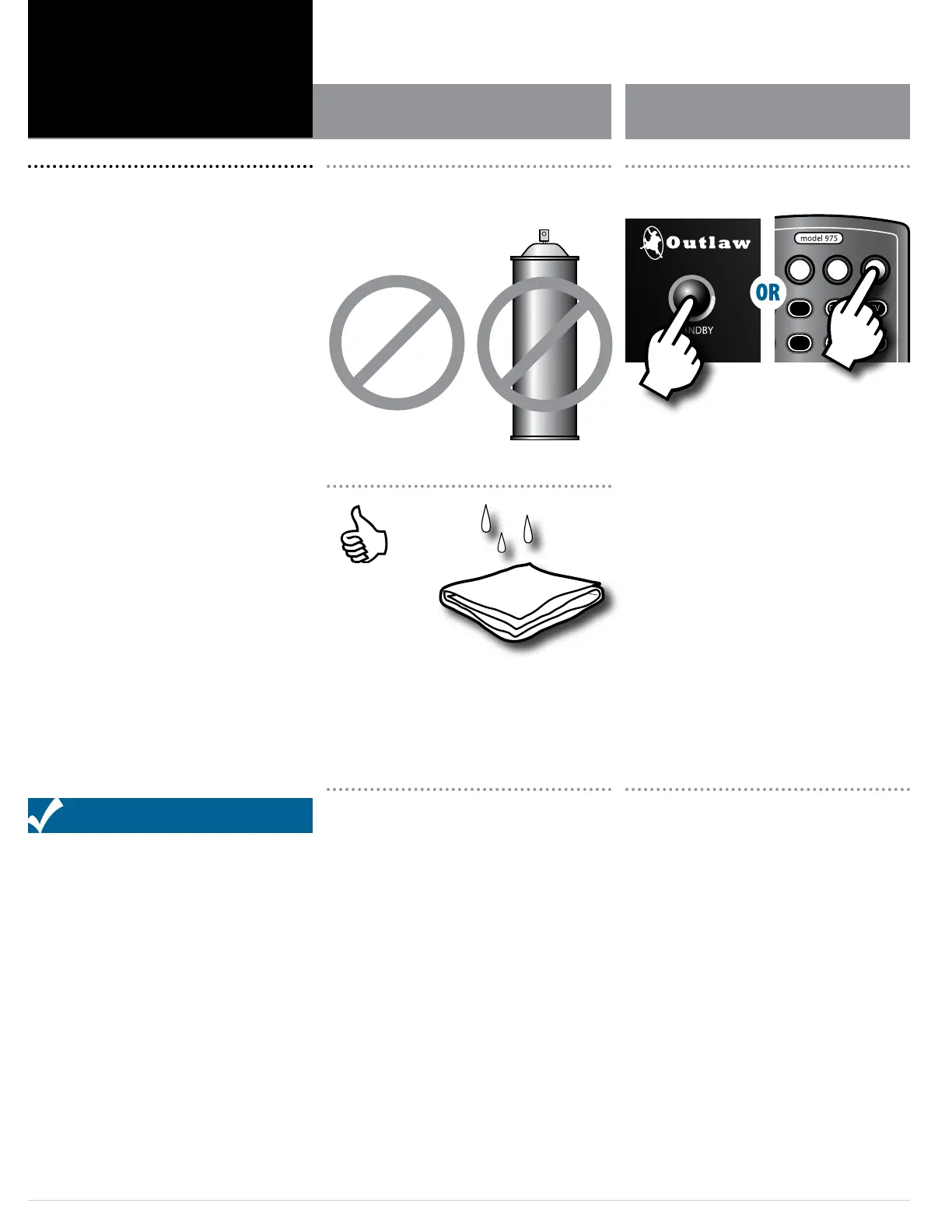
When the Model 975 becomes dirty, wipe it with a clean,
soft, dry cloth. For tougher dirt or stains, rst unplug the
Model 975, then wipe the surface with a slightly dampened
soft cloth. Wipe dry immediately with a dry cloth. Wait 1
hour before plugging the unit back in to make sure that all
moisture used in cleaning has dried.
NEVER use benzene, thinner, alcohol, ammonia (commonly
found in many cleaning products), or any other volatile
cleaning agent. Do not use abrasive cleaners, as they
may damage the nish of the metal parts. Avoid spraying
insecticide, waxes, polishing agents, or any aerosol product
near the unit.
If you will not be using your home theater system for an
extended period of time, it is always a good idea to turn the
unit o using the OFF button on the remote or the STANDBY
button on the front panel. This will reduce power consump-
tion and maximize the life of the internal components.
BENZENE
THINNER
ALCOHOL
SRC
PWR
ON
Setup
Mute
OK
Func
+ +
VOL CH
– –
VOL CH
Exit
Menu
Surr Mode AM/FM MEM Spkr Set
Test Direct T. Mode Auto PST
Stereo LFE Trim CH Delay CH Level
Video Game Aux TV
Status Exit Tone Disc
Menu PIP Swap Input
RPT Last CC Sleep
Info FAV Guide VOD
Night Sync
CBL
SAT DISC TV
AUD STB TNR
OFF
Turn the unit oAvoid using volatile,
abrasive or spray cleaners


 To Next Page