12
Back panel
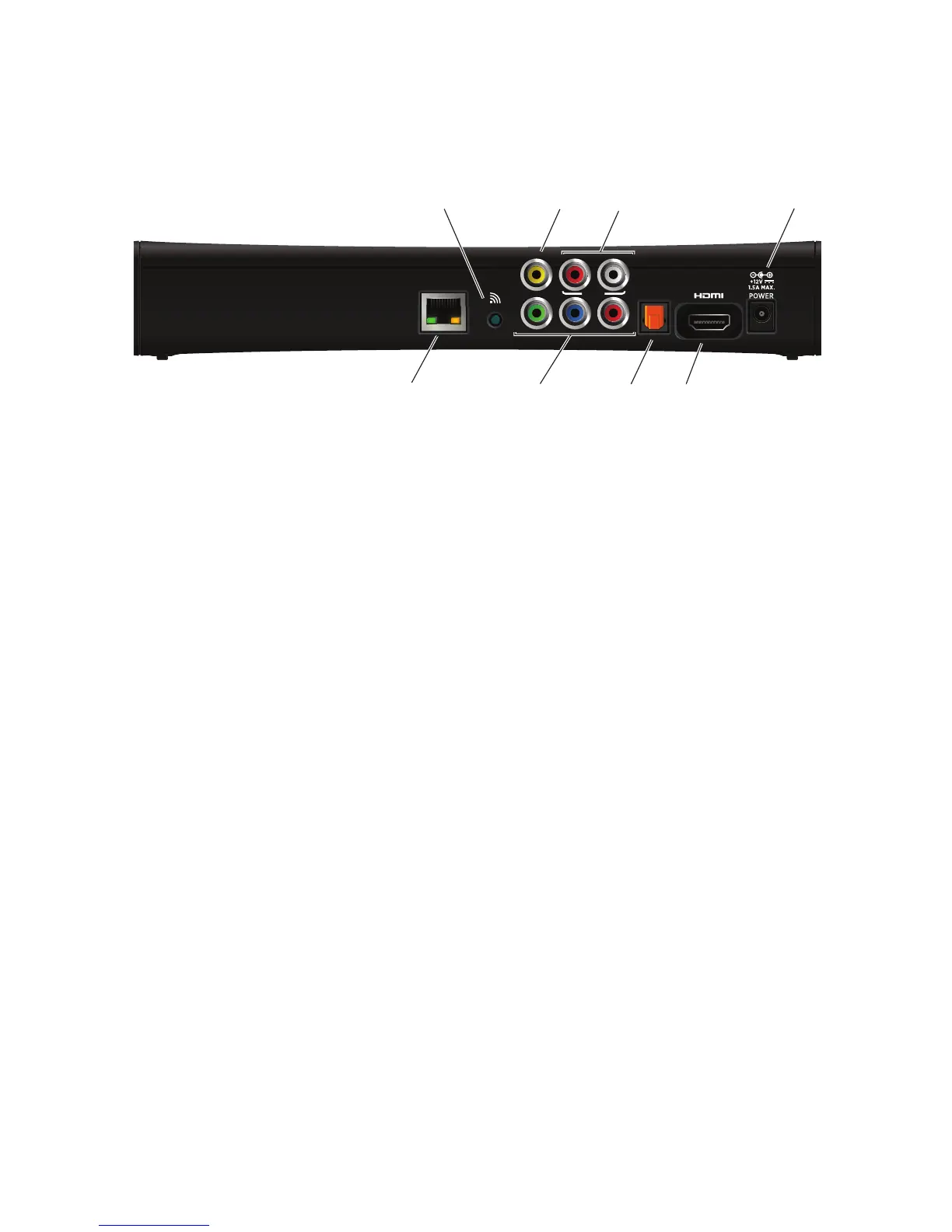
The following illustration shows the connectors on the back of the set-top box.
NETWORK
Connects the set-top box to the in-home network using an Ethernet network cable, if
applicable.
WPS
Connects the set-top box to the in-home network using WPS (Wi-Fi Protected Setup),
if a wireless network is available.
VIDEO OUT
Connects the set-top box to a standard-definition TV using a composite video
connection.
Y Pb Pr
Connects the set-top box to a high-definition TV or home theater receiver using a
component video connection.
AUDIO
Connects the set-top box to a TV or home theater receiver using an analog audio
connection.
OPTICAL
Connects the set-top box to a TV or home theater receiver using a digital audio
connection.
HDMI
Connects the set-top box to a high-definition TV or home theater receiver using an
HDMI connection.
POWER
Connects the power adapter to the set-top box. The LED lights green when the set-top
box is receiving power from the wall outlet.



 To Next Page