21
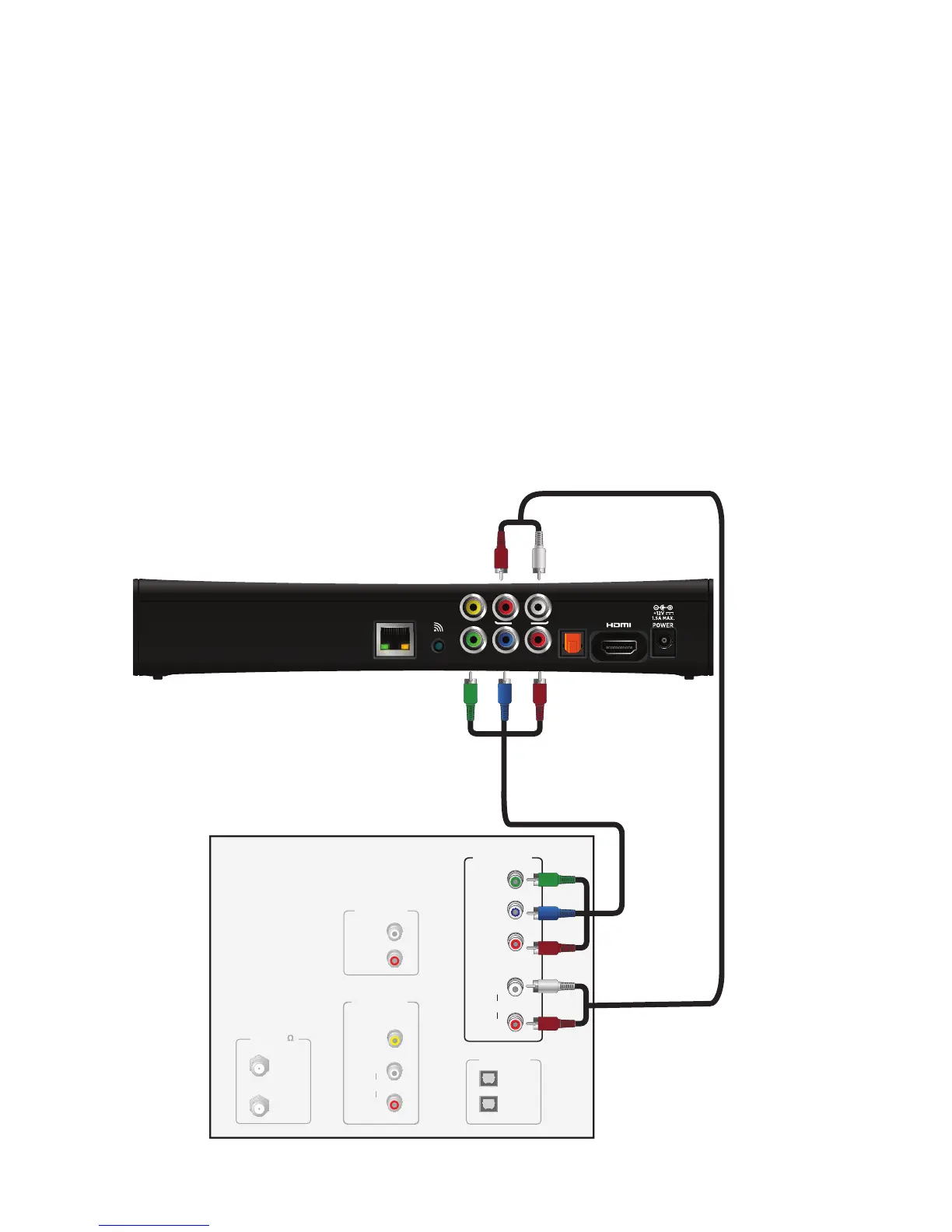
Using a component video connection with analog audio
Component video uses the Y Pb Pr (green, blue, and red) connectors to provide
component video signals to an HDTV or SDTV. You must connect the audio signal
separately using an analog audio cable.
To connect the set-top box to the TV using a component video cable and analog audio
cable:
1. Insert the connectors on the color-coded component video cable into the Y Pb Pr
(green, blue, and red) connectors on the set-top box.
2. Insert the other end of the component video cable into the COMPONENT VIDEO Y
Pb Pr (green, blue, and red) connectors on the TV.
3. Connect the color-coded analog audio cable to the AUDIO L (white) and R (red)
connectors on the set-top box.
4. Connect the other end of the color-coded analog audio cable to the AUDIO L (white)
and R (red) connectors on the TV.



 To Next Page