14
Connect the set-top box to the home network
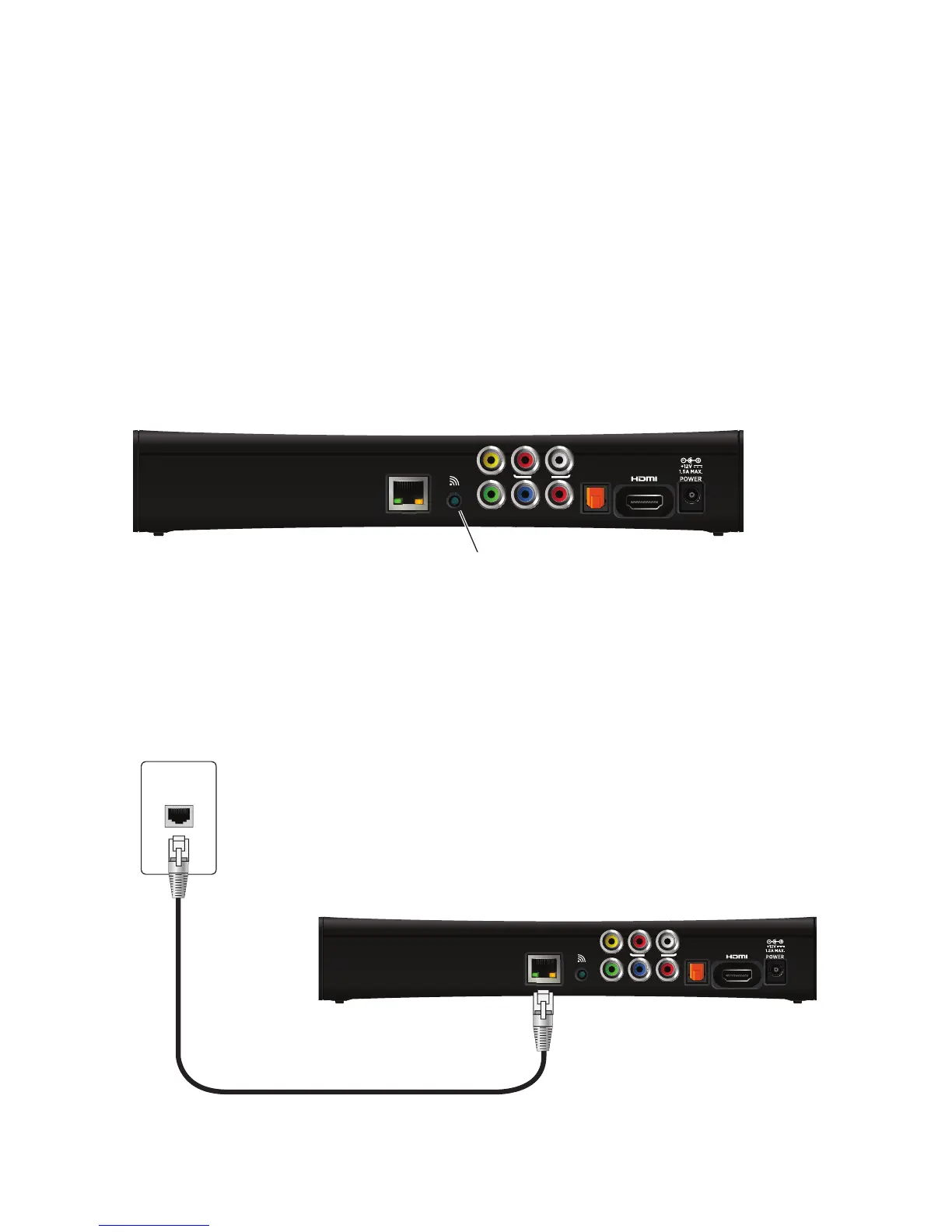
If you connect to your home network through a wireless connection, use the WPS
(Wi-Fi Protected Setup) connector on the back panel of the set-top box to connect the
set-top box to the network.
To connect to the home network using WPS:
1. Press the WPS button on the back panel of the set-top box. Then, press the WPS
button on the home network gateway.
2. Verify that the WPS indicator on the front panel blinks green during device pairing
with the home network gateway.
3. Verify that the WPS indicator on the front panel lights solid green for approximately
five minutes after the set-top box connects to the gateway.
To connect to the home network using an Ethernet (CAT-5) cable:
1. Insert one end of the Ethernet cable into the NETWORK connector on the set-top
box.
2. Insert the other end of the Ethernet cable into the home network wall outlet.
Note: If an Ethernet connection is made, the wireless interface is disabled.



 To Next Page