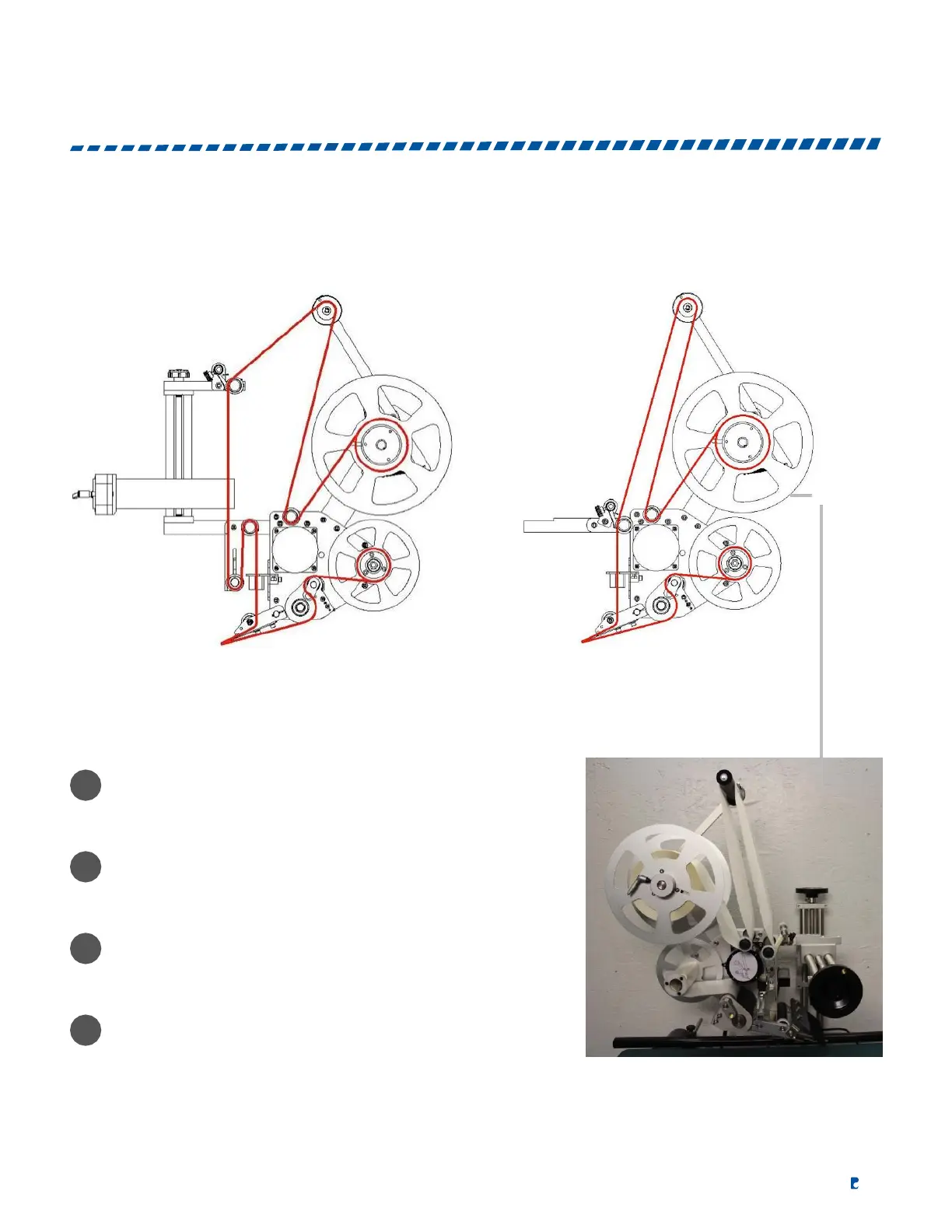
Follow these instructions to insert the labels into the label applicator.
WITH PRINTER WITHOUT PRINTER
Place the label roll on the supply plate and pass the
labels around the tension roller to control over rotation
of the roll.
Secure the labels by adding tension to the label press
pad. This will prevent the labels from running loosely.
If a printer is installed, pass the labels between the print
head and the print pad of the printer.
It is important for the labels to pass through the forks of
the label sensor and make contact with one side. The
label sensor controls the dispensing of the labels.


 To Next Page