25
STEP 6: Set the Month
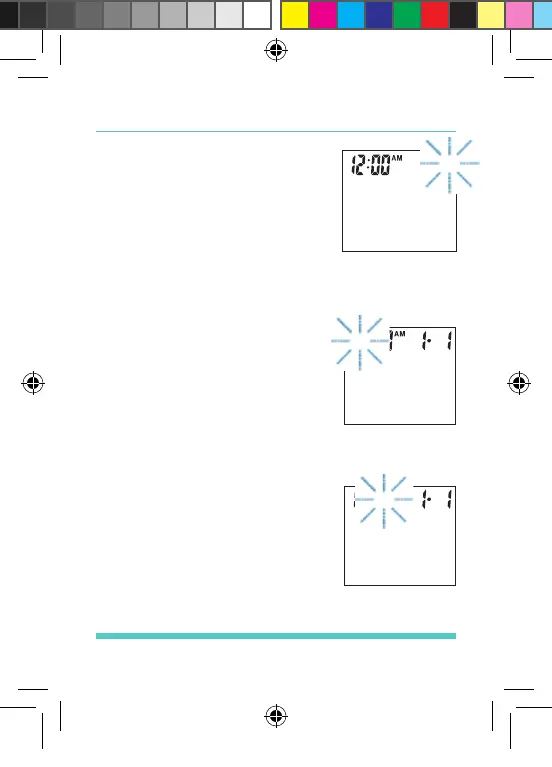
Press and release the “M”
button to advance the month.
With the correct month on the
display, press the “SET” button
and the time will appear on
the display with the hour segment ashing. See
Figure 11.
STEP 7: Set the Hour
Press and release the “M”
button to advance the hour.
With the correct hour on the
display, press the “SET” button
and the minutes segment will
start ashing. See Figure 12.
STEP 8: Set the Minutes
Press and release the “M”
button to advance the minutes.
With the correct minutes on the
display, press the “SET” button
and the deL symbol will start
ashing. See Figure 13.
Figure 10
Figure 11
Figure 12
Palmdoc 2 User Man.indd 25 24/08/2017 10:49


 To Next Page