31
Important: Be sure that you are in control
solution mode so that the test result will not be
stored in the meter memory.
STEP 4: Apply Control Solution
1. Check the expiration and discard dates on
your control solution and test strip vials.
2. Shake the control solution bottle well, then
remove cap.
3. Squeeze the bottle and discard the rst drop
then wipe the dispenser tip with clean tissue
paper or cotton.
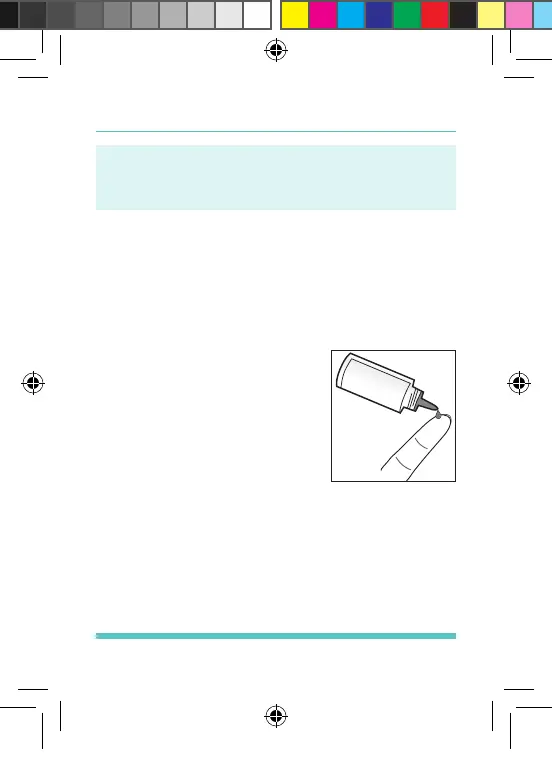
4. Squeeze the bottle again to
get a second drop onto a
clean, non-absorbent surface
or on your clean ngertip.
See Figure 14.
5. Bring the tip of the test strip
to touch the drop of solution
until the meter beeps.
Figure 14
Palmdoc 2 User Man.indd 31 24/08/2017 10:49


 To Next Page