12
Connecting your HD-STB
2. Video Connection
HDMI (High Definition Multimedia Interface) connection
HDMI is the new digital inter-connection standard that carries digital video & audio
signals via a single cable.
HD-STB HDMI output supports the following 50Hz HD video modes: 1080i, 720p,
and 576p SD via HDMI is not supported.
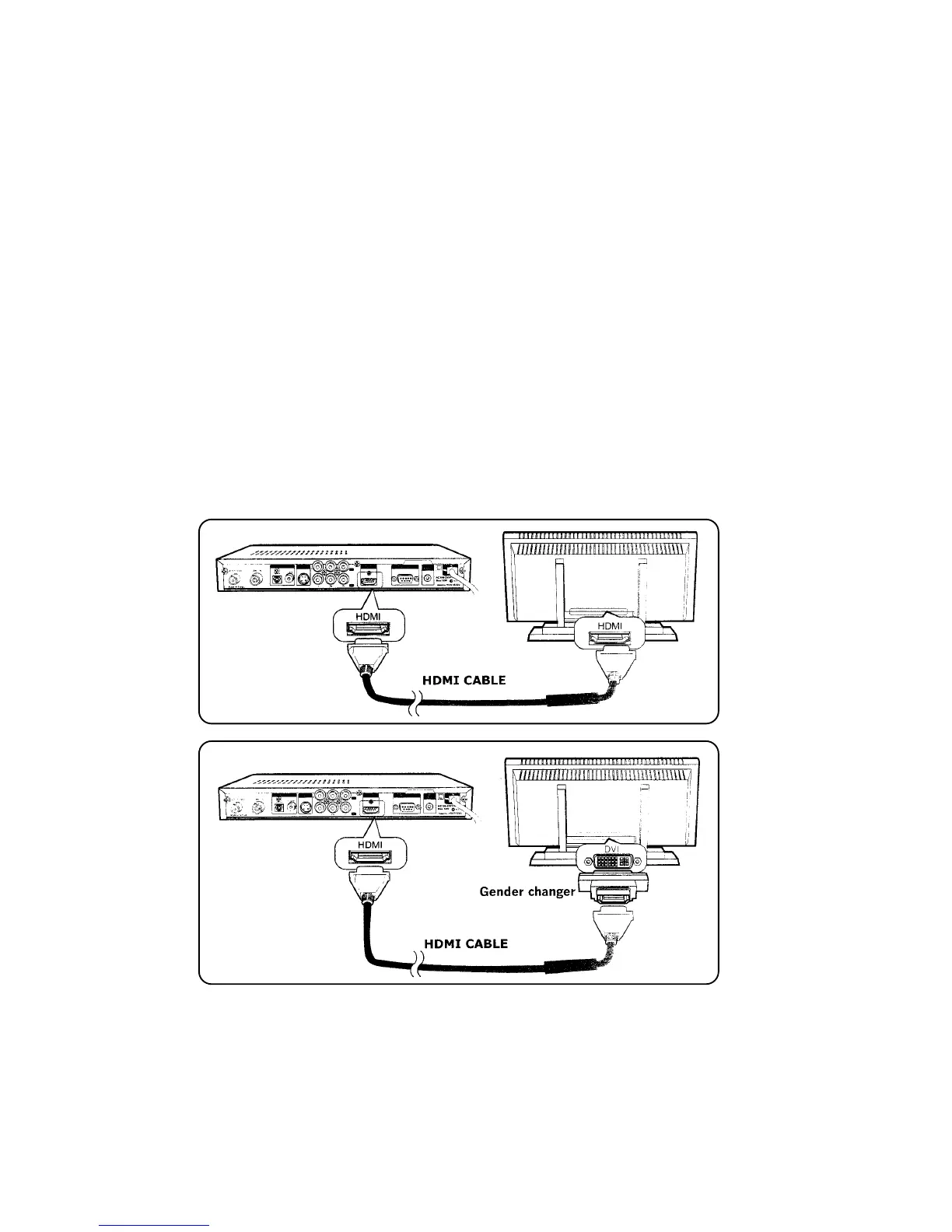
Connect HDMI cable between HD-STB and TV HDMI terminals as shown
(Refer to Fig. 3)
The HD-STB HDMI connection is also DVI compatible when using a HDMI to DVI
cable (not supplied) or HDMI to DVI gender changer (not supplied) (Refer to Fig. 4)
When using a HDMI to DVI connection, a separate audio connection is also required
between the HD-STB and display device.
Fig. 3 HDMI to HDMI Input TV
Fig. 4 HDMI to DVI Input TV


 To Next Page