25
Using the MENU System
Wake-up Timer
You can setup the Wake-up Timer for automatic turn on the HD-STB.
When the setting up time is reached, the HD-STB will automatic turn on and display
setting up channel. This Wake-up Timer is operating daily. You can refer current
time upper side right of the OSD.
1) Press MENU to display the menu.
2) Press DOWN to select the Access &Timer Setup menu.
3) Press OK or RIGHT to select Access & Timer Setup menu.
4) Press DOWN to select Wake-up Timer menu.
5) Press OK or RIGHT to go to Sub menu.
6) Press UP or DOWN button enabling sub menu.
7) Use UP/DOWN or numeric button to change time.
8) Press LEFT or RIGHT to move each item.
9) After finished setup, press MENU or LEFT to go back.
Power-off Timer
You can setup the Power off Timer for automatic turn off the HD-STB.
When the setting up time is reached, the HD-STB will automatically turn off. This Power-
off Timer is operating daily.
1) Press MENU to display the menu.
2) Press DOWN to select the Access &Timer Setup menu.
3) Press OK or RIGHT to select Access &Timer Setup menu.
4) Press DOWN to select Power-off Timer menu.
5) Press OK or RIGHT to go to Sub menu.
6) Press UP or DOWN button enabling sub menu.
7) Use UP/DOWN or numeric button to change time.
8) Press LEFT or RIGHT to move each item.
9) After finished setup, press MENU or LEFT to go back.
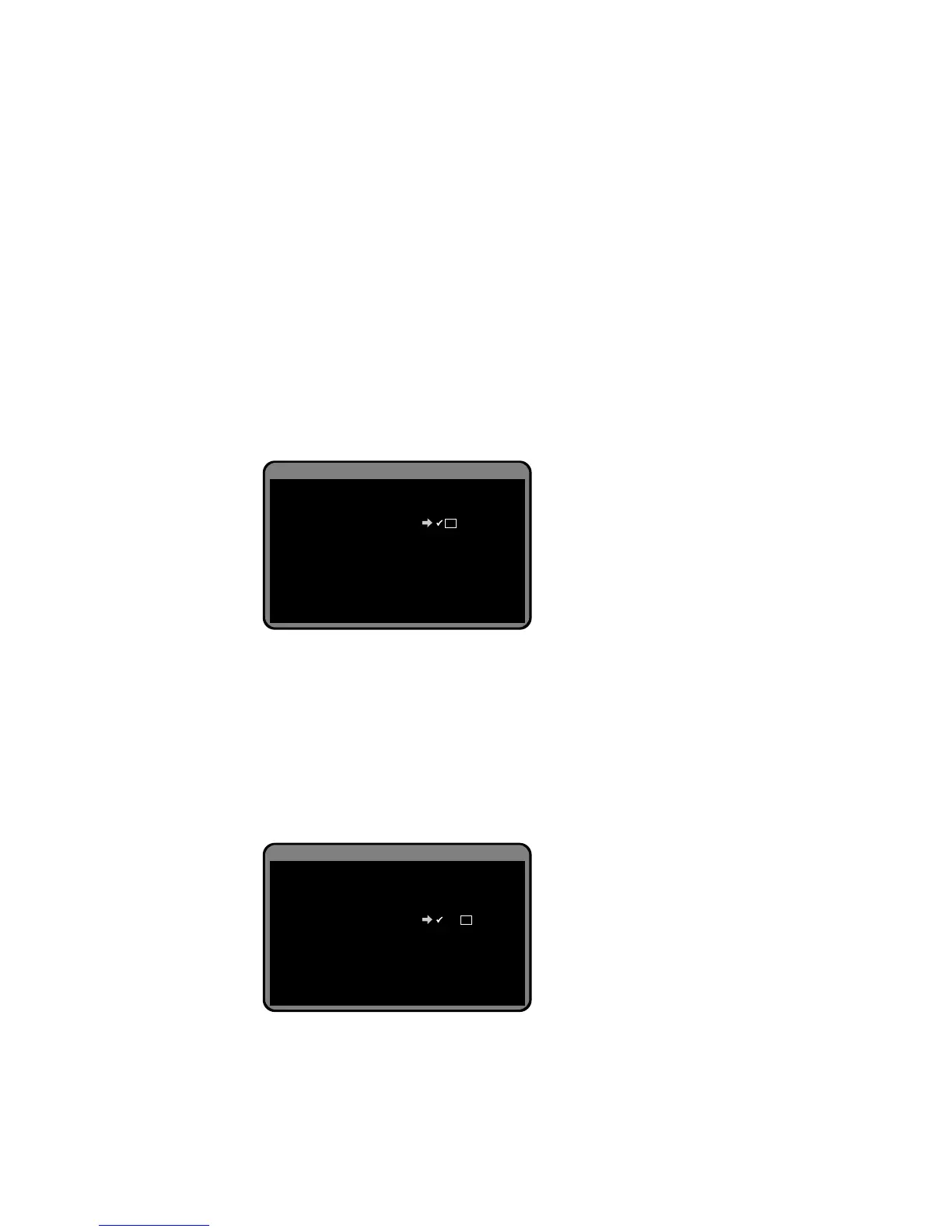
Access & Timer Setup
Program Blocking Level
Wake-up Channel
Wake-up Timer
Power off Timer
M and above
Last channel
11 : 12 AM
- - : - - AM
Current Time 8:35 pm
When enabled, STB will automatically turn on
every day at the selected time.
Access & Timer Setup
Program Blocking Level
Wake-up Channel
Wake-up Timer
Power off Timer
M and above
Last channel
11 : 12 AM
12 : 50 PM
Current Time 8:36 pm
When enabled, STB will automatically turn off
every day at the selected time.


 To Next Page