27
Using the MENU System
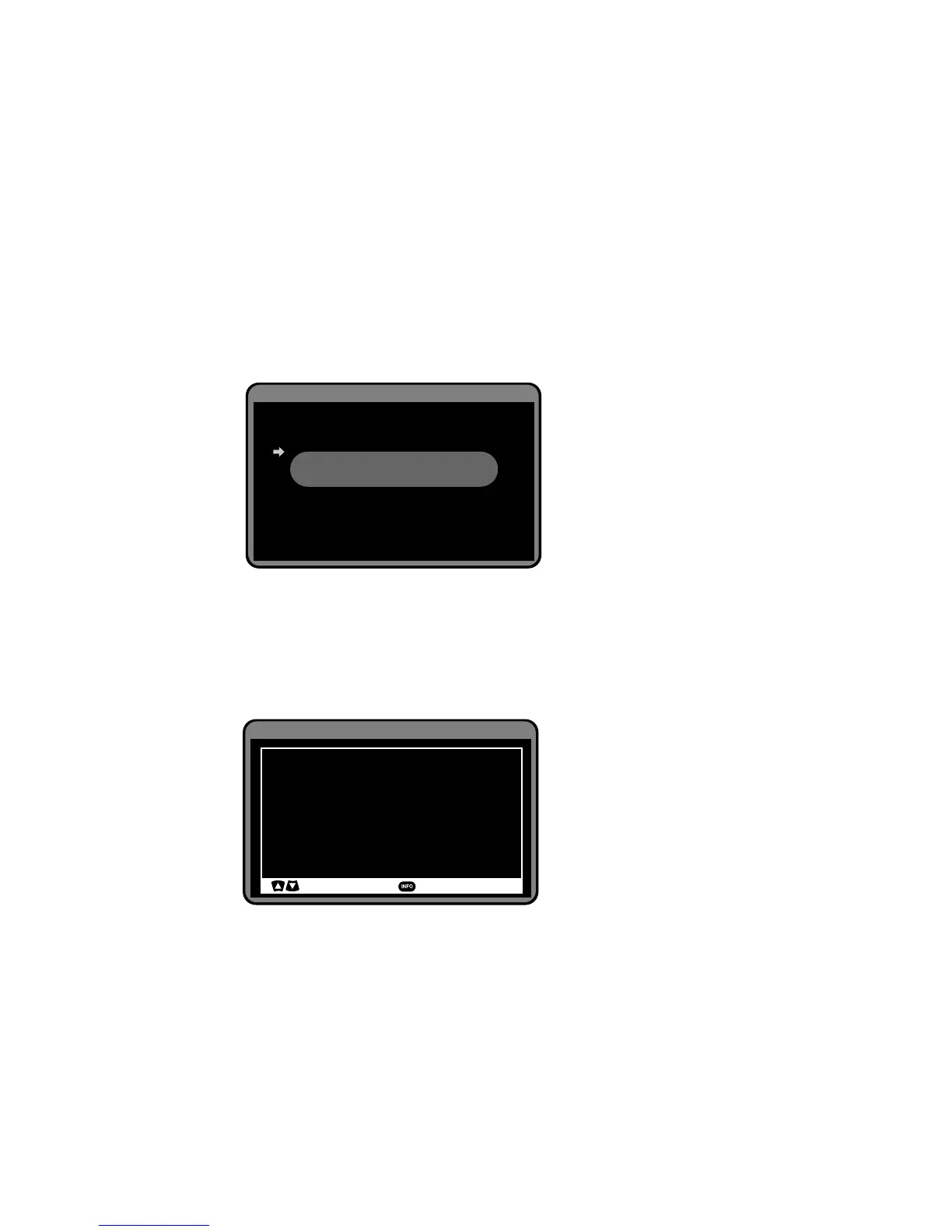
Factory Reset
The HD-STB will erase all of current setting value and go to factory default setting
after Factory Reset. The HD-STB asked to confirm to Factory Reset. You should enter
your PIN code. Press OK to confirm Factory Reset. The HD-STB will be restored
factory default value and restart automatically. After Factory Reset, you should set
the Time Zone and perform the Automatic Channel scan for correct menu operation.
The default PIN code is "0000". You can not change the default PIN code value.
System Information
You can find System information from this menu. It will display Manufacturer, Model
Name, Software Version and Hardware Version.
Remote Control Code List
From here you can look up most popular CE component remote control code list. You
can setup your CE component remote control code follow the list. Please refer
detailed setup instruction on page 8.
System Setup
Time Zone
Auto Power Off
Factory Reset
System Information
TV Remote Control Code List
NSW/ACT
Off
Restore STB to factory default setting.
Press OK to reset STB or Menu
to abort factory reset.
System Setup
ACER
315
ADMIRAL
130 14 170 175 209 223 297 310
AIKO
108 118 119 124 153 170 186 294
AIWA
248 249 293
AKAI
105 108 118 124 129 153 170 186 196 199
207 209 225 246 277 282 284 285 286 287
: Page Up/Down
: Universal Code Setup


 To Next Page