D.6 Function block application
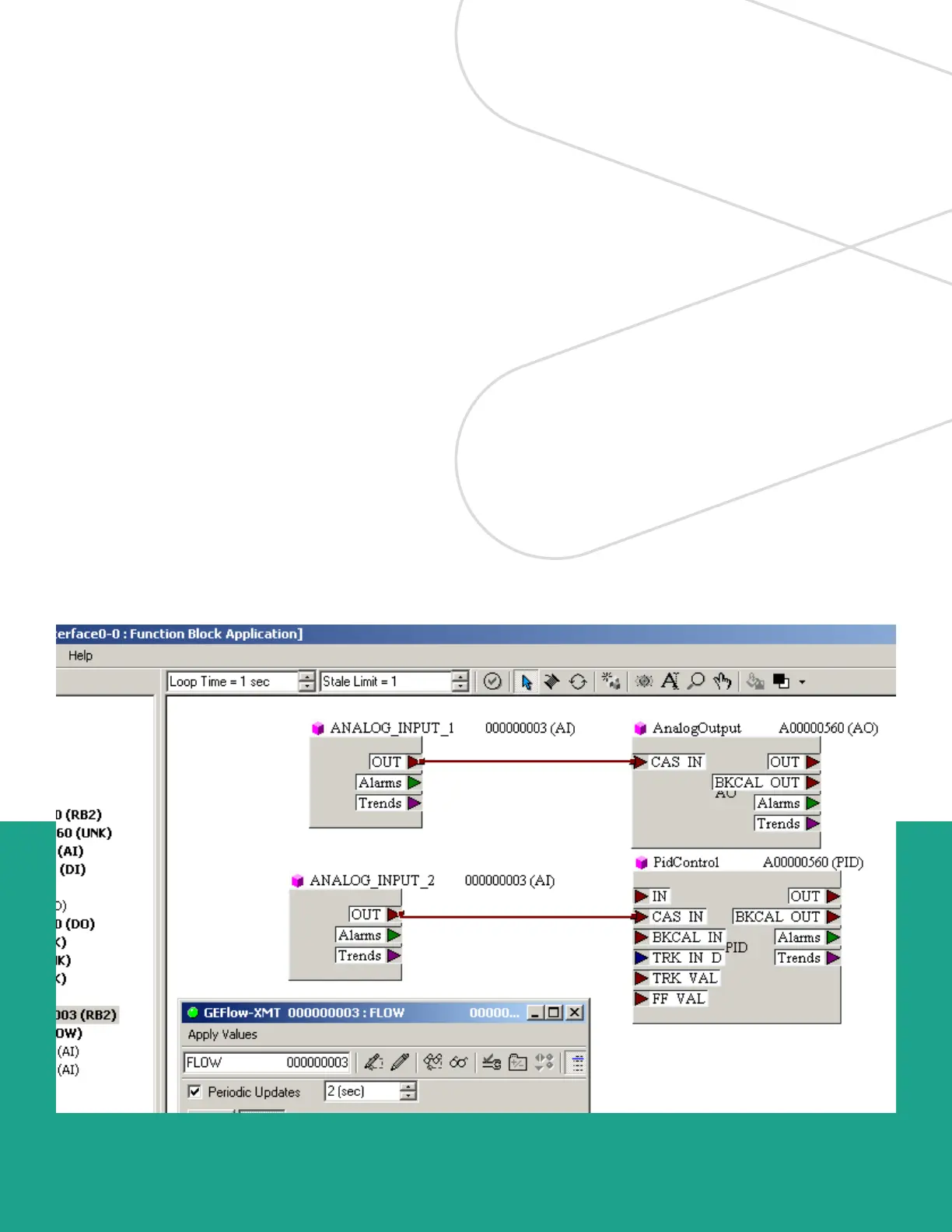
Figure 44 is an example setup using the function block
application editor. The flowmeter AI blocks, along with the
AO and PID of another device on the network, are displayed.
We have connected the AI_1 OUT of the flowmeter to the
CAS IN of the AO block. We have also connected the
AI_2 OUT of the flowmeter to the CAS IN of the PID block.
Figure 44: Function block application
89





 To Next Page