13 (E)
BEFORE USE
ENGLISH
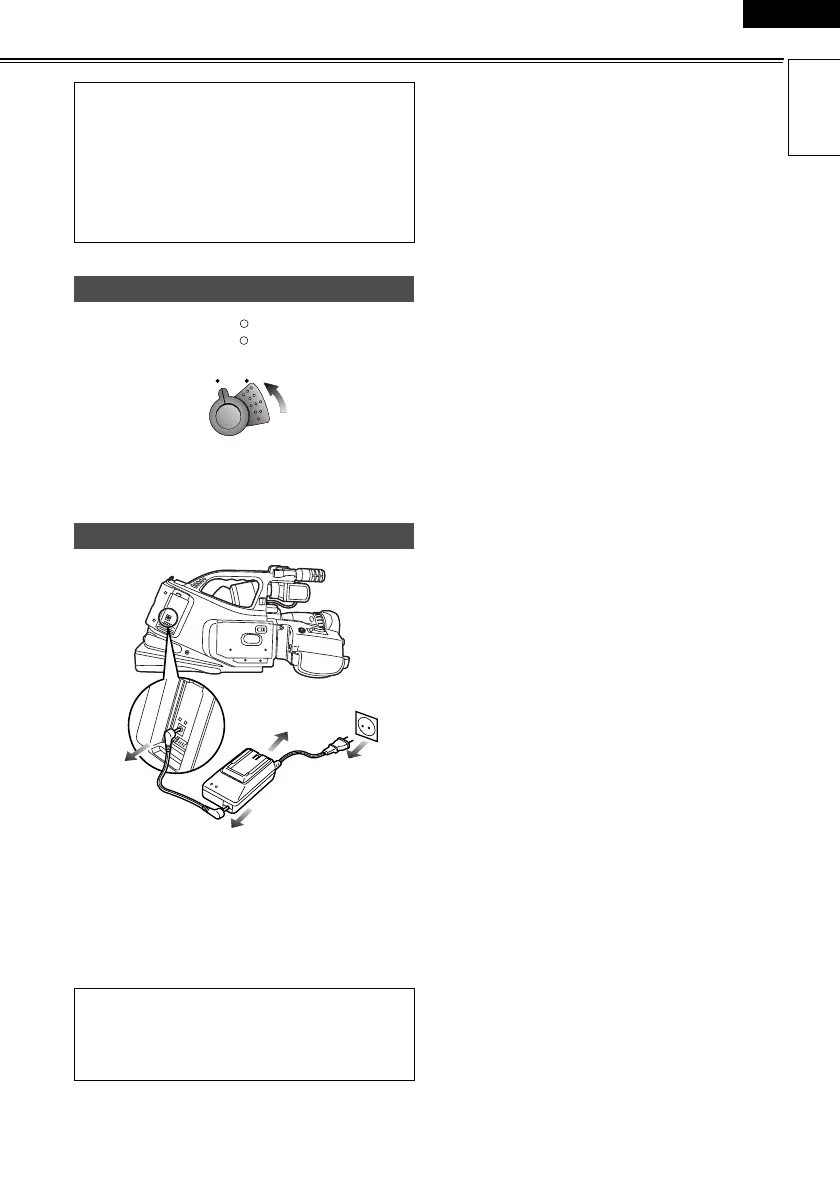
Turn the POWER lever to the OFF position.
The power is now turned off, and the CAM lamp goes
off.
1 Disconnect the AC cord from the power outlet.
2 Disconnect the DC cord from the DC input socket.
3 Disconnect the DC cord and AC cord from the AC
adapter.
• Check that the camera-recorder’s power is on
before sliding the OPEN/EJECT lever.
• Close the cassette cover if you are not going to
insert a cassette tape immediately after removing
another.
• Do not attempt to remove a tape while you are
recording. The cassette cover opens but recording
will continue, allowing outside light and dust to
adversely affect the tape.
Turning off the power
Disconnecting the power cord
• Turn the POWER lever to the OFF position, check
that the POWER lamp (CAM/VCR) has gone off,
and then remove the battery.
• Support the battery with your hand so that it does
not drop off.
POWER
lcc
lk
lcc
lk
CAM
VCR
N
O
P
P
AG-DVC60E_En.fm 13 ページ 2004年9月2日 木曜日 午後1時43分










 To Next Page