21 (E)
PREPARATION
ENGLISH
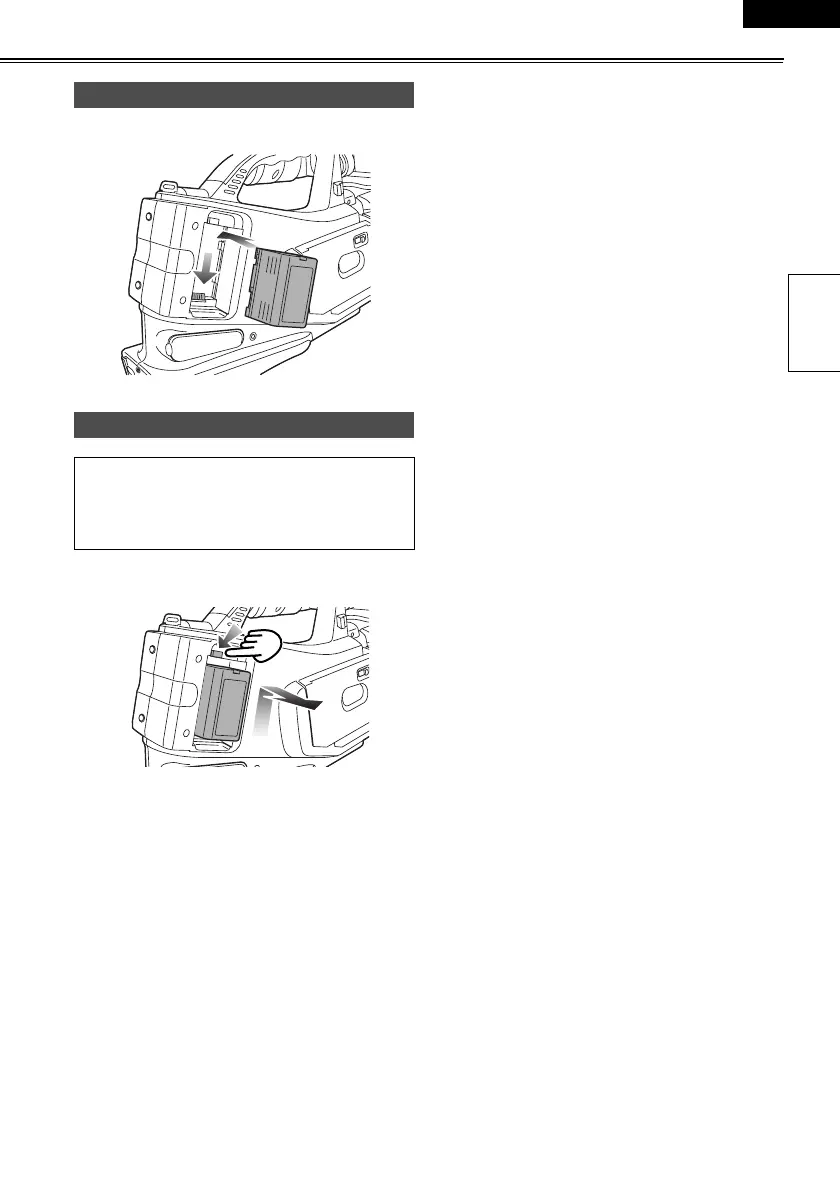
Press the battery straight against the camera-recorder
body and slide it down until it clicks into place.
To remove the battery, hold down the battery release
button and slide it up.
Mounting
Removing
• Turn the POWER lever to the OFF position, check
that the POWER lamp (CAM/VCR) has gone off,
and then remove the battery.
• Support the battery with your hand so that it does
not drop off.
AG-DVC60E_En.fm 21 ページ 2004年9月2日 木曜日 午後1時43分










 To Next Page