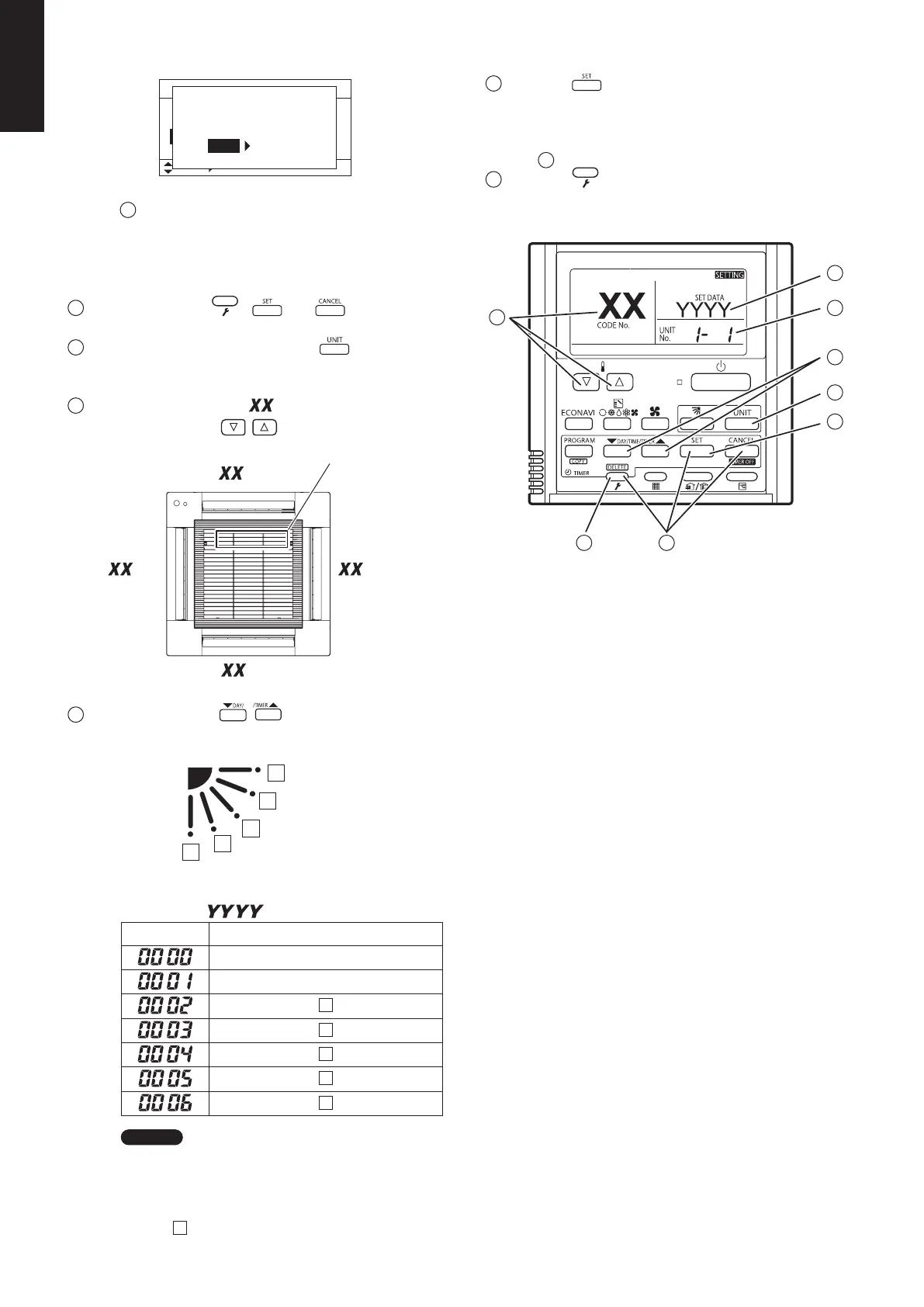
step .
button to set.
desired setting data.
.
completed.)
step .
Sel. Next
ECONAVI SYSTEM SETTING
Change the settings of main and sub indoor units to
correspond to the ECONAVI system function.
For the benefit of using the ECONAVI function, the main
indoor unit should be provided with the ECONAVI function.
1. Press three buttons.
Keep pressing the
, and buttons
simultaneously for more than 4 seconds.
The “Maintenance func” menu appears on the screen.
2.
Select “0. ECONAVI info.” from the menu command.
By pressing the / buttons, select
“0. ECONAVI info.” and press the
button.
3.
Select “System settings” from the menu command.
By pressing the / buttons, select
“System settings” and press the button.
4.
Start settings.
By pressing the
/ buttons, select “YES” and
press the button.
5.
When finished settings, the system restarts automatically.
6.
Check whether the ECONAVI function is set.
is displayed on the screen.
If the display is not operated, press the
button
and set it in operating mode.
If operation is in fan mode,
is not
displayed. Set in any operating mode other than fan
mode.
“
” is displayed when
setting the ECONAVI function.
NOTE
After operating Step 2, the following messages may occasionally appear on the screen.
Display message Contents
Disabled in default mode.After a while, select “0. ECONAVI info.” again.
If no status changes even after 10 minutes, make auto address setting and then
select “0. ECONAVI info.”.
After operating Step 3, the following messages may occasionally appear on the screen.
Display message Contents
Setup is not required. The main indoor unit has already been provided with the ECONAVI function.
So, it works right out of the box.
Main indoor unit is not found. The power of indoor unit may possibly shut down.
Check the power supply of indoor unit.
Indoor unit with ECONAVI is not found. Since all indoor units in the group control are not available for the ECONAVI
function, the ECONAVI function cannot be used.






 To Next Page