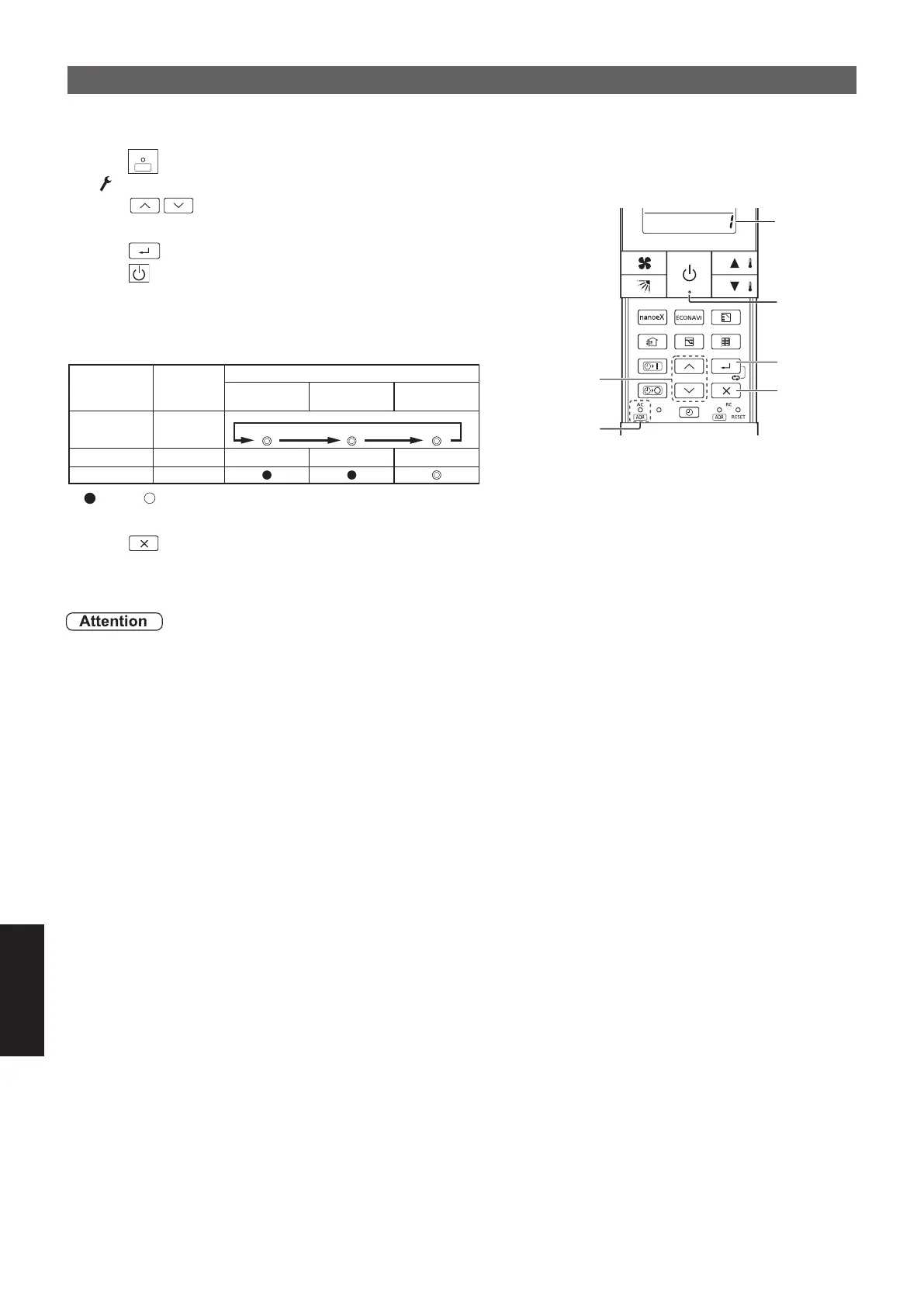
88
3
5
2
1
4
Address
AC
ADR
Auto Address
Set the Auto Address for each O/D unit no. (outdoor unit number) Select the O/D unit no. for Auto Address.
1. Press for 4 seconds or longer.
• “ “ starts blinking and the setting screen is displayed.
2. Press to select the unit number (O/D unit no.)
from 1 to 30.
3. Press to set the Auto Address.
4. Press to check the Auto Address status.
(See the following table for the Auto Address status.)
• Proceed to step 5 when the status is “Completion” or “Error” .
• If “Running” keeps for 10 minutes or longer, check the unit number.
OPERATION TIMER STANDBY
: OFF, : ON (Illuminated),
◎
Blinking (0.5 seconds interval)
5. Press for 4 seconds or longer to exit the Auto Address setting.
• Auto Address setting is canceled while running or error occurring.
Set the Auto Address again after resolve the error cause if an error occurs.
• Set Auto address after all units are turned on and 90 seconds or more have passed.
• Operate the units after Auto address is set and 90 seconds or more have passed.
Auto
Address
Status
Buzzer
of the
receiver
Indication lamp on the receiver
Running
2 times
Completion 1 time
- - -
Error 5 times
8-3-11
SM830281-00_欧州向け R32シングル TD&SM.indb 11 20/01/09 15:07:39






 To Next Page