6-3
66
LED
A
A
A
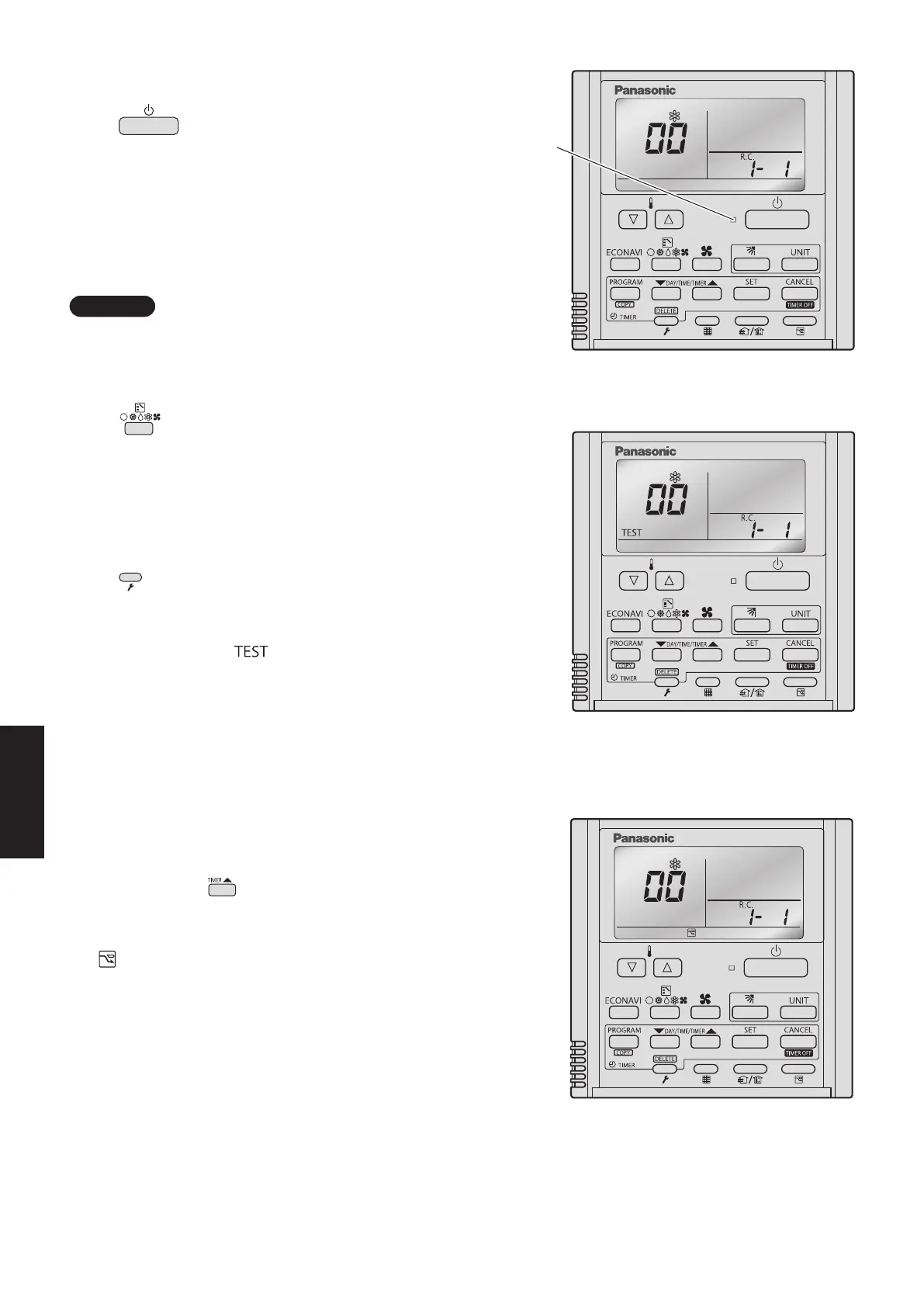
Fig. 6-1
Fig. 6-2
Fig. 6-3
l
All units start/stop (Fig. 6-1)
<Operation>
The (Start/Stopoperation)buttoncanbeused
to start and stop all the indoor units.
•TheLEDilluminatesifanyindoorunitsisoperating.
•TheLEDblinksifanalarmatanyoftheoperatingindoor
units occurs.
l
Cooling/heating change (Fig. 6-1)
NOTE
Cooling and heating mode changes are only available
when all indoor units are stopped.
<Operation>
The
A
(Mode) button can be used to change
between heating and cooling operation.
•Thedisplayindicatestheoperatingmodeoftheindoor
unit with the lowest unit No.
l
All units test run (Fig. 6-2)
<Operation>
The (Check) button can be used to start and stop a
test run for all indoor units.
•Pressandholdfor4secondstoturnON.
During the test run “
” is displayed.
•Thestatusoftestrunsperformedfromtheindoorunit
remote controller is not displayed on the outdoor unit
maintenance remote controller.
l
Double-speed (Fig. 6-3)
•Donotuseforactualoperation.
(Doing so may damage the devices.)
<Operation>
The timer button
can be used to change between
double-speed and normal operation.
•Duringdouble-speedoperation,theSleepingMode
mark is displayed.
SM830281-00_欧州向け R32シングル TD&SM.indb 3 19/11/08 11:43:41






 To Next Page